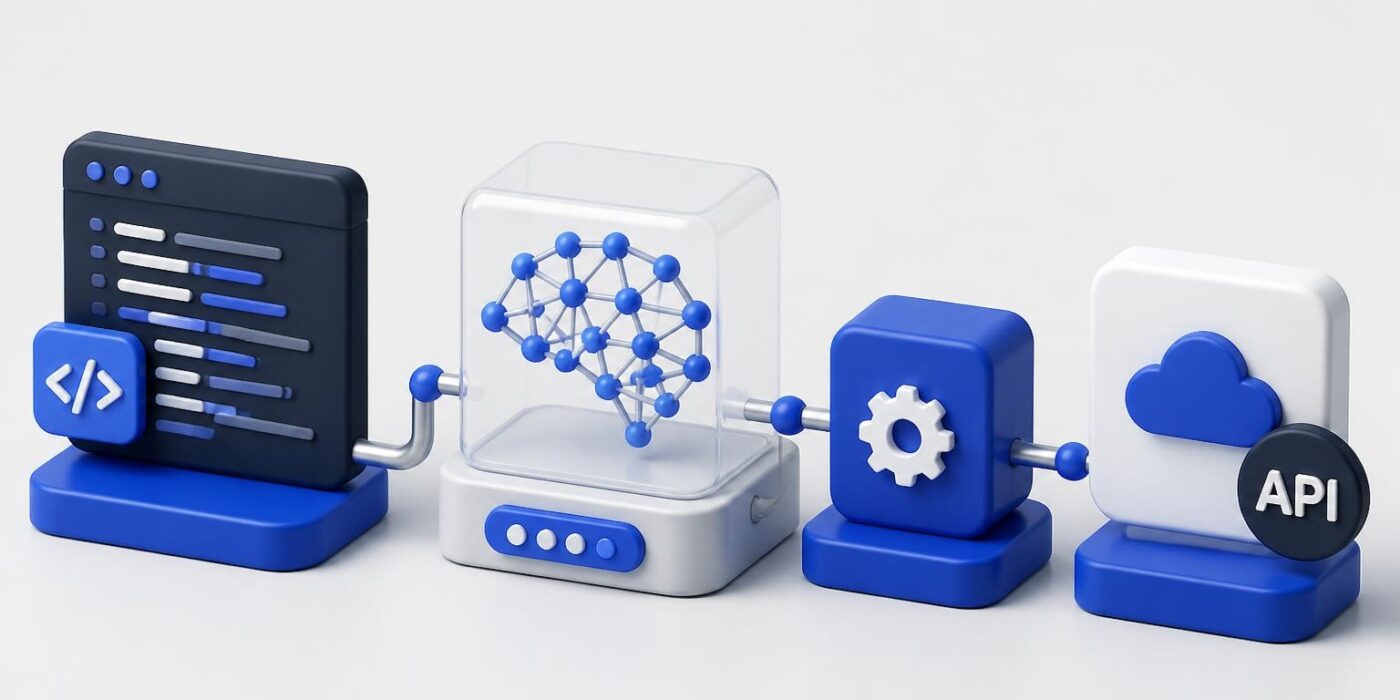
Programming artificial intelligence has evolved from academic research into a core skill for modern software developers. Unlike traditional programming where you define explicit rules and logic paths, AI programming involves building systems that learn patterns from data and make decisions based on statistical models. This shift requires developers to think differently about architecture, data flow, and how applications improve over time. The practical reality of programming artificial intelligence in 2026 means working with APIs, understanding model behavior, and integrating intelligent features into existing applications rather than building neural networks from scratch.
Language Selection for AI Development
Choosing the right programming language directly impacts development speed, ecosystem access, and deployment options. Python dominates the AI landscape because of its extensive libraries, readable syntax, and massive community support. Libraries like TensorFlow, PyTorch, scikit-learn, and Hugging Face Transformers give you immediate access to state-of-the-art models and training frameworks.
Key languages for programming artificial intelligence include:
- Python for rapid prototyping, model training, and API integration
- JavaScript/TypeScript for browser-based AI and full-stack applications
- Go for high-performance inference servers and production deployment
- Rust for systems-level performance and memory-safe AI infrastructure
- Java for enterprise integration and Android AI applications
The programming languages used in AI development vary based on your deployment target and performance requirements. Python handles most prototyping and training workflows, while compiled languages handle production inference where latency matters.
Python Ecosystem Advantages
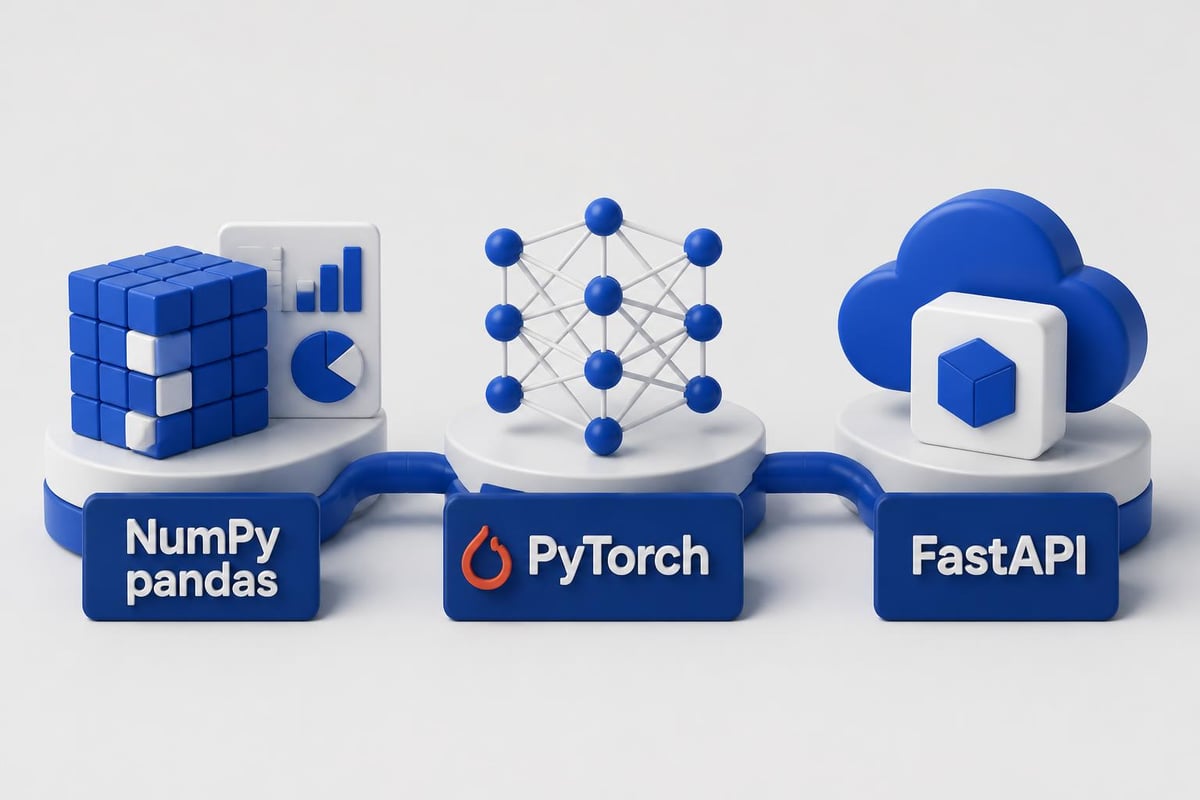
Python's dominance stems from scientific computing roots and continuous investment from major AI companies. The NumPy and pandas libraries handle data manipulation efficiently. Jupyter notebooks enable interactive development and experimentation. Package managers like pip and conda simplify dependency management across projects.
When you're programming artificial intelligence with Python, you typically work with these core libraries:
| Library | Purpose | Use Case |
|---|---|---|
| NumPy | Numerical computing | Array operations, mathematical functions |
| pandas | Data manipulation | Data cleaning, transformation, analysis |
| scikit-learn | Traditional ML | Classification, regression, clustering |
| TensorFlow | Deep learning | Neural network training, model deployment |
| PyTorch | Research & production | Dynamic computation graphs, GPU acceleration |
| Hugging Face | Transformer models | Pre-trained models, fine-tuning, inference |
Building Your First AI-Powered Application
Programming artificial intelligence for production means starting with API integration rather than training models from scratch. Modern AI development leverages pre-trained models through APIs like OpenAI, Anthropic Claude, or Google's Gemini. This approach gets you from concept to working prototype in hours instead of months.
Start with a simple classification or generation task. Set up your development environment with proper API key management and error handling. Build the minimal feature that demonstrates value, then iterate based on real usage patterns.
API Integration Pattern
import os
from openai import OpenAI

client = OpenAI(api_key=os.environ.get("OPENAI_API_KEY"))

def classify_sentiment(text: str) -> dict:
    """Classify text sentiment using GPT-4"""
    try:
        response = client.chat.completions.create(
            model="gpt-4",
            messages=[
                {"role": "system", "content": "Classify sentiment as positive, negative, or neutral. Respond with JSON."},
                {"role": "user", "content": text}
            ],
            response_format={"type": "json_object"}
        )
        return response.choices[0].message.content
    except Exception as e:
        return {"error": str(e), "sentiment": "unknown"}

# Usage
result = classify_sentiment("This product exceeded my expectations!")
print(result)
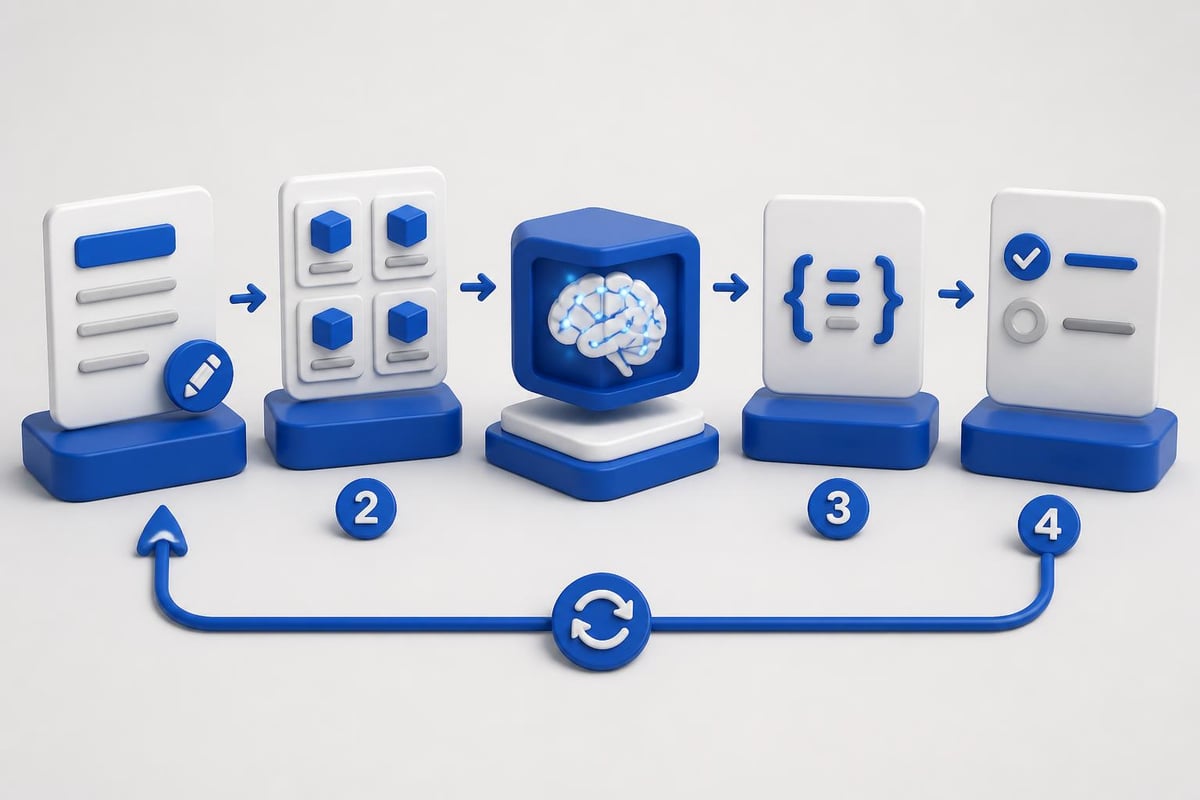
This pattern works for most programming artificial intelligence tasks in 2026. You define the task in natural language, structure the input/output format, and handle errors gracefully. The model handles the complex pattern recognition while your code manages the application logic.
Understanding Model Behavior and Constraints
Programming artificial intelligence requires understanding how models actually work, not just how to call their APIs. Models are probability engines that predict the next token, classification label, or embedding vector based on training data. They don't "know" facts in the traditional sense but rather encode statistical patterns from their training corpus.
Critical constraints to consider:
- Context windows limit how much text you can process at once
- Token costs directly impact application economics at scale
- Response latency varies by model size and hosting infrastructure
- Output consistency requires prompt engineering and temperature tuning
- Hallucinations happen when models generate plausible but incorrect information
Understanding these constraints helps you design systems that work reliably in production. For applications requiring factual accuracy, implement retrieval-augmented generation (RAG) where you fetch relevant data before generating responses. For consistent outputs, use lower temperature settings and structured output formats.
Prompt Engineering Fundamentals
Effective programming artificial intelligence depends heavily on prompt design. Your prompts are the interface between your application logic and the model's capabilities. Clear instructions, relevant examples, and output format specifications dramatically improve results.
def extract_invoice_data(invoice_text: str) -> dict:
    """Extract structured data from invoice text"""
    prompt = f"""Extract the following information from this invoice:
    - Invoice number
    - Date
    - Total amount
    - Line items with descriptions and prices

    Return as JSON with keys: invoice_number, date, total, line_items

    Invoice text:
    {invoice_text}

    JSON output:"""

    response = client.chat.completions.create(
        model="gpt-4",
        messages=[{"role": "user", "content": prompt}],
        temperature=0.1,
        response_format={"type": "json_object"}
    )

    return json.loads(response.choices[0].message.content)
Notice the temperature setting of 0.1 for more deterministic output and the explicit JSON structure requirement. These details matter when programming artificial intelligence for production use cases where consistency beats creativity.
Integrating AI into Existing Systems
Most programming artificial intelligence work in 2026 involves enhancing existing applications rather than building standalone AI products. You're adding intelligent features to established codebases, which means dealing with legacy systems, existing databases, and established deployment pipelines.
Architecture Patterns for AI Integration
Design your AI features as separate services when possible. This isolation prevents model inference from blocking your main application threads and makes it easier to swap models or providers as technology improves. Use message queues for asynchronous processing when real-time responses aren't required.
Common integration patterns:
- Synchronous API calls for user-facing features requiring immediate responses
- Background job processing for bulk operations like document analysis
- Webhook callbacks for long-running tasks with status notifications
- Streaming responses for applications showing progressive output generation
- Batch processing for scheduled tasks like content moderation
The differences between AI and traditional programming become evident during integration. Traditional code paths are deterministic and testable with exact assertions. AI features require probabilistic testing, confidence thresholds, and graceful degradation when models produce unexpected outputs.
from fastapi import FastAPI, BackgroundTasks
from pydantic import BaseModel

app = FastAPI()

class DocumentRequest(BaseModel):
    document_id: str
    content: str

async def process_document_ai(doc_id: str, content: str):
    """Background task for document processing"""
    # Extract entities
    entities = extract_entities(content)

    # Generate summary
    summary = generate_summary(content)

    # Store results
    await store_analysis(doc_id, entities, summary)

    # Trigger webhook
    await notify_completion(doc_id)

@app.post("/documents/analyze")
async def analyze_document(doc: DocumentRequest, background_tasks: BackgroundTasks):
    background_tasks.add_task(process_document_ai, doc.document_id, doc.content)
    return {"status": "processing", "document_id": doc.document_id}
This FastAPI pattern demonstrates asynchronous programming artificial intelligence integration. The endpoint returns immediately while processing happens in the background. Users get status updates through webhooks or polling endpoints.
Data Management and Model Fine-Tuning
Programming artificial intelligence at scale requires solid data infrastructure. You need systems for collecting training data, labeling examples, versioning datasets, and monitoring model performance over time. Even when using pre-trained models, you'll fine-tune on domain-specific data for better accuracy.
Dataset Preparation Best Practices
Clean data matters more than quantity. A thousand high-quality, correctly labeled examples outperform ten thousand noisy samples. Structure your data in formats that match your task: JSONL for text generation, CSV for classification, or specialized formats for computer vision.
| Data Task | Format | Key Considerations |
|---|---|---|
| Text classification | JSONL with text/label pairs | Balanced class distribution |
| Fine-tuning LLMs | JSONL conversations | Consistent formatting, diverse examples |
| Named entity recognition | CoNLL or spaCy format | Entity type coverage |
| Embedding training | Text pairs with similarity scores | Positive and negative examples |
When fine-tuning models, start with smaller learning rates and fewer epochs than you'd use for training from scratch. Monitor validation loss carefully to avoid overfitting. Programming artificial intelligence for custom domains often requires multiple fine-tuning iterations as you discover edge cases in production.
Those looking to formalize their skills in these techniques should explore structured learning paths. The AI Developer Certification (Mammoth Club) teaches practical integration of OpenAI, Claude, and modern AI APIs into production-ready software through hands-on projects covering prompt engineering, backend workflows, and deployment strategies designed for developers shipping real AI features.

Testing and Validation Strategies
Testing AI features differs fundamentally from testing traditional code. You can't write exact assertions for model outputs because they vary based on probability distributions. Instead, you test for output characteristics, acceptable ranges, and failure modes.
Essential testing approaches:
- Regression tests using fixed inputs with acceptable output ranges
- Property-based tests validating output structure and format
- A/B tests comparing model versions in production
- Human evaluation for subjective quality metrics
- Adversarial testing for robustness against unexpected inputs
Programming artificial intelligence requires building test suites that catch common failure modes like empty responses, format violations, or outputs that violate business rules. You also need monitoring to detect drift when model performance degrades over time.
import pytest
from your_ai_module import generate_product_description

def test_description_length():
    """Description should be between 50-200 characters"""
    result = generate_product_description("wireless headphones")
    assert 50 <= len(result) <= 200

def test_description_format():
    """Description should be plain text without HTML"""
    result = generate_product_description("laptop stand")
    assert "<" not in result and ">" not in result
    assert result[0].isupper()  # Starts with capital letter

def test_description_relevance():
    """Description should mention product category"""
    product = "coffee maker"
    result = generate_product_description(product)
    assert "coffee" in result.lower()

@pytest.mark.parametrize("product", [
    "smartphone", "desk lamp", "yoga mat", "keyboard"
])
def test_description_variety(product):
    """Different products should get different descriptions"""
    results = [generate_product_description(product) for _ in range(3)]
    assert len(set(results)) > 1  # Some variation in outputs
These tests validate programming artificial intelligence outputs without requiring exact string matches. They verify structure, format, and basic content requirements while allowing for natural variation in generated text.

Production Deployment Considerations
Deploying AI features to production introduces challenges around latency, cost, reliability, and scalability. Your development environment might query APIs with generous timeouts and retry logic, but production systems need tight SLAs and cost controls.
Infrastructure and Performance Optimization
Start by implementing caching for common queries. Many AI applications have repeated patterns where caching dramatically reduces API costs and improves response times. Use Redis or similar in-memory stores with appropriate TTL values.
Optimization strategies:
- Response caching for identical or similar inputs
- Request batching to process multiple items together
- Model size selection trading accuracy for speed when appropriate
- Streaming outputs to improve perceived latency
- Fallback models when primary services are unavailable
Programming artificial intelligence for production means implementing comprehensive error handling. APIs fail, rate limits trigger, and models occasionally produce invalid outputs. Your code needs graceful degradation paths that maintain application functionality even when AI features temporarily fail.
from functools import lru_cache
import hashlib
import redis

redis_client = redis.Redis(host='localhost', port=6379, db=0)

def get_cache_key(text: str) -> str:
    """Generate cache key from input text"""
    return f"sentiment:{hashlib.md5(text.encode()).hexdigest()}"

def analyze_sentiment_cached(text: str) -> dict:
    """Sentiment analysis with Redis caching"""
    cache_key = get_cache_key(text)

    # Check cache
    cached = redis_client.get(cache_key)
    if cached:
        return json.loads(cached)

    # Call AI API
    try:
        result = classify_sentiment(text)
        # Cache for 1 hour
        redis_client.setex(cache_key, 3600, json.dumps(result))
        return result
    except Exception as e:
        # Return safe fallback
        return {"sentiment": "unknown", "error": str(e)}
This pattern demonstrates production-ready programming artificial intelligence with caching, error handling, and fallback logic. The application remains functional even when the AI service is temporarily unavailable.
Monitoring and Continuous Improvement
Production AI systems require continuous monitoring beyond standard application metrics. Track model performance, user satisfaction, and business outcomes. Set up alerts for unusual patterns like sudden accuracy drops or increased error rates.
Build feedback loops that collect real-world examples of model failures. These examples become your next fine-tuning dataset. When users correct AI-generated outputs or report issues, capture those instances for analysis and model improvement.
| Metric | What to Track | Alert Threshold |
|---|---|---|
| API latency | P50, P95, P99 response times | >2s for P95 |
| Error rate | Failed requests / total requests | >5% |
| Output quality | User corrections, ratings | <70% positive |
| Cost per request | API costs / request volume | Budget threshold |
| Cache hit rate | Cached / total requests | <40% |
For developers working with AI in programming workflows, monitoring also includes tracking how AI features impact overall application performance. Does the intelligent search feature improve user engagement? Are AI-generated suggestions actually being used? These product metrics matter as much as technical performance.
Security and Privacy Implications
Programming artificial intelligence introduces unique security challenges. You're sending potentially sensitive data to external APIs, storing model outputs that might contain extracted information, and dealing with systems that could leak training data through clever prompting.
Security best practices:
- Data sanitization before sending to AI APIs
- PII detection and redaction in inputs and outputs
- Rate limiting to prevent abuse and cost overruns
- Audit logging of all AI service interactions
- Output validation to prevent injection attacks through generated content
- Access controls limiting who can trigger AI features
Implement content filtering on both inputs and outputs. Don't assume the model will refuse inappropriate requests or that outputs will always be safe for direct display. Programming artificial intelligence safely means treating model outputs like any other untrusted external input.
import re
from typing import Optional

def sanitize_input(text: str, max_length: int = 1000) -> str:
    """Remove PII and limit input length"""
    # Remove email addresses
    text = re.sub(r'b[A-Za-z0-9._%+-]+@[A-Za-z0-9.-]+.[A-Z|a-z]{2,}b', '[EMAIL]', text)

    # Remove phone numbers
    text = re.sub(r'bd{3}[-.]?d{3}[-.]?d{4}b', '[PHONE]', text)

    # Remove SSN patterns
    text = re.sub(r'bd{3}-d{2}-d{4}b', '[SSN]', text)

    # Truncate to max length
    return text[:max_length]

def validate_output(generated_text: str) -> Optional[str]:
    """Validate AI output before returning to users"""
    # Check for code injection attempts
    if '<script' in generated_text.lower():
        return None

    # Check for SQL injection patterns
    if re.search(r'b(DROP|DELETE|INSERT)s+TABLEb', generated_text, re.IGNORECASE):
        return None

    # Additional validation rules...
    return generated_text
These safeguards protect both your users and your infrastructure when programming artificial intelligence features that handle user-generated content or produce outputs displayed in web applications.
Cost Management and Scaling
AI API costs scale with usage in ways traditional infrastructure doesn't. Each request consumes tokens at pricing tiers that vary by model and provider. A successful feature can quickly become expensive without proper cost controls.
Track costs per feature, per user, and per time period. Set up billing alerts and implement usage caps at the application level. For high-volume use cases, consider hosting models yourself or negotiating enterprise pricing with API providers.
Cost reduction strategies include:
- Switching to smaller models for simple tasks
- Implementing aggressive caching policies
- Using embeddings for search instead of repeated LLM calls
- Batching requests when real-time responses aren't required
- Setting maximum token limits on generation tasks
Understanding your usage patterns helps optimize programming artificial intelligence applications for cost efficiency. If 80% of your requests could be handled by a faster, cheaper model with minimal accuracy loss, routing those requests saves significant money at scale. Build telemetry that helps you make these optimization decisions based on real data.
For those interested in exploring various artificial intelligence projects, cost management becomes even more critical when experimenting with multiple approaches and models across different domains.
Future-Proofing Your AI Applications
The AI landscape changes rapidly. Models improve, pricing changes, and new capabilities emerge regularly. Programming artificial intelligence with an eye toward flexibility prevents lock-in and enables easy upgrades.
Abstract your AI calls behind interfaces that can swap implementations. Today you might use GPT-4, but tomorrow a faster, cheaper, or more capable model might better serve your needs. Design your architecture so changing providers requires minimal code changes.
from abc import ABC, abstractmethod

class TextGenerator(ABC):
    @abstractmethod
    def generate(self, prompt: str, max_tokens: int = 100) -> str:
        pass

class OpenAIGenerator(TextGenerator):
    def __init__(self, api_key: str):
        self.client = OpenAI(api_key=api_key)

    def generate(self, prompt: str, max_tokens: int = 100) -> str:
        response = self.client.chat.completions.create(
            model="gpt-4",
            messages=[{"role": "user", "content": prompt}],
            max_tokens=max_tokens
        )
        return response.choices[0].message.content

class AnthropicGenerator(TextGenerator):
    def __init__(self, api_key: str):
        self.client = anthropic.Anthropic(api_key=api_key)

    def generate(self, prompt: str, max_tokens: int = 100) -> str:
        response = self.client.messages.create(
            model="claude-3-opus-20240229",
            max_tokens=max_tokens,
            messages=[{"role": "user", "content": prompt}]
        )
        return response.content[0].text

# Usage
generator: TextGenerator = OpenAIGenerator(os.environ["OPENAI_API_KEY"])
# Or easily switch: generator = AnthropicGenerator(os.environ["ANTHROPIC_API_KEY"])
result = generator.generate("Write a product description for wireless earbuds")
This abstraction layer demonstrates programming artificial intelligence with provider flexibility. Your application code depends on the interface, not specific API implementations, making it easier to test, mock, and swap providers as needs change.
Staying current with AI software development practices and emerging tools helps you adapt as the ecosystem evolves. Follow model release announcements, benchmark results, and community discussions to understand when new capabilities might benefit your applications.
Programming artificial intelligence effectively requires balancing cutting-edge capabilities with practical engineering discipline. Focus on building reliable, cost-effective systems that deliver real value rather than chasing every new model release. Start with API integration, measure real-world performance, and iterate based on user feedback and production metrics. AI Code Central offers the practical tutorials, API guides, and real-world project examples you need to build, ship, and scale production-ready AI applications using modern development workflows.