
Artificial intelligence programming for beginners starts with understanding one simple truth: you don't need a PhD to build AI applications. Modern AI development focuses on integrating pre-trained models, calling APIs, and automating workflows rather than building neural networks from scratch. This shift means developers with basic Python knowledge can ship production-ready AI features in weeks, not years. The key is learning the right tools, understanding how AI models work at a practical level, and building real projects that solve actual problems.
Choose Python as Your Primary Language
Python dominates artificial intelligence programming for beginners because of its simple syntax and massive ecosystem of AI libraries. The language reads almost like English, which reduces the learning curve significantly compared to languages like C++ or Java.
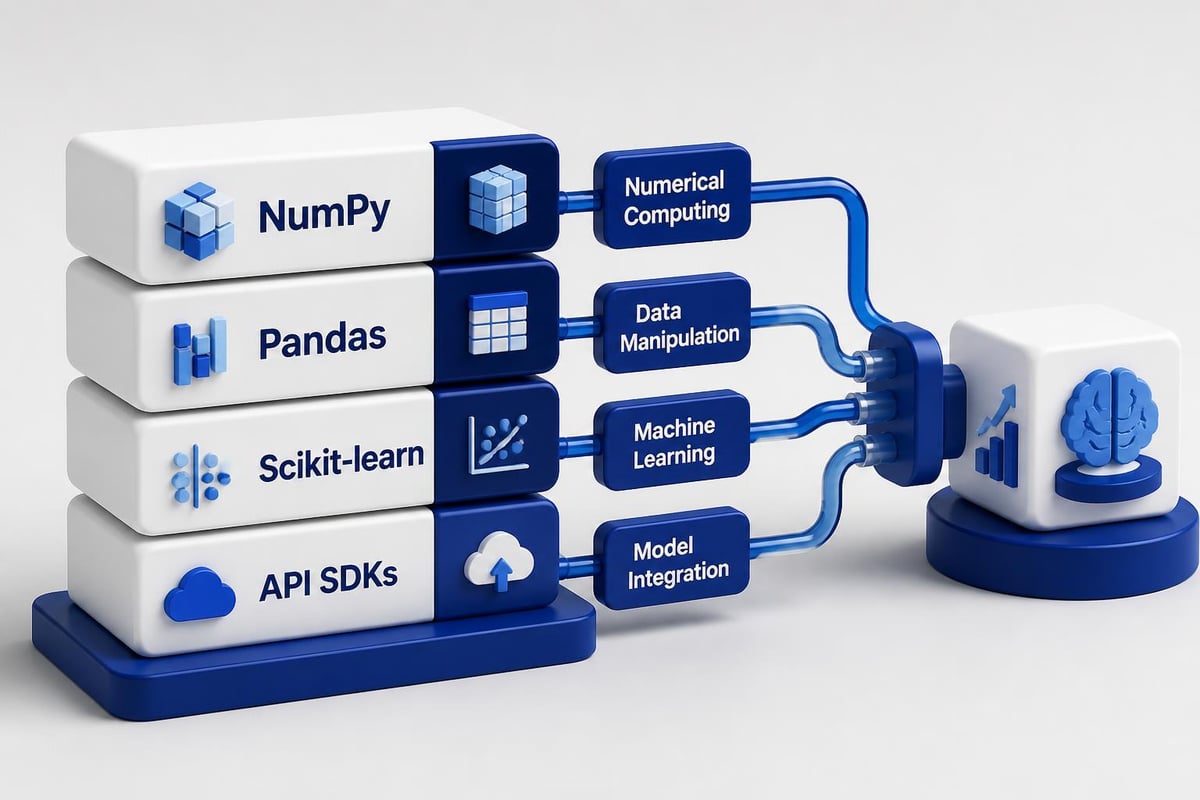
Key Python libraries for AI development:
- NumPy for numerical computing and array operations
- Pandas for data manipulation and analysis
- Scikit-learn for traditional machine learning algorithms
- TensorFlow and PyTorch for deep learning projects
- OpenAI and Anthropic SDKs for API-based AI integration
Most AI projects for students start with Python because it handles the heavy lifting of AI computation while keeping code readable. You can install these libraries using pip, Python's package manager, and start building within minutes.
Set Up Your Development Environment
Installing Python is straightforward. Download version 3.10 or newer from python.org, then set up a virtual environment to isolate your AI projects. This prevents dependency conflicts when you work on multiple projects.
python -m venv ai_env
source ai_env/bin/activate  # On Windows: ai_envScriptsactivate
pip install numpy pandas scikit-learn openai
Use VS Code or PyCharm as your code editor. Both offer excellent Python support, debugging tools, and extensions for AI development. VS Code's Jupyter notebook integration is particularly useful for experimenting with AI models and visualizing data.
Master API-First AI Development
Modern artificial intelligence programming for beginners prioritizes API integration over building models from scratch. Services like OpenAI, Anthropic, and Hugging Face provide powerful pre-trained models through simple REST APIs.
This approach lets you build functional AI applications in hours. A chatbot, content generator, or image analyzer becomes a matter of calling the right endpoint with proper authentication and handling the response.
from openai import OpenAI

client = OpenAI(api_key="your-api-key")

response = client.chat.completions.create(
    model="gpt-4",
    messages=[
        {"role": "system", "content": "You are a helpful coding assistant."},
        {"role": "user", "content": "Explain recursion in Python"}
    ]
)

print(response.choices[0].message.content)
| API Provider | Best For | Pricing Model | Key Advantage |
|---|---|---|---|
| OpenAI | Text generation, chat, embeddings | Pay per token | Most powerful language models |
| Anthropic | Long-context analysis, coding | Pay per token | Better reasoning capabilities |
| Hugging Face | Open-source models, custom fine-tuning | Free + paid tiers | Largest model repository |
| Google Gemini | Multimodal tasks, real-time data | Pay per request | Internet-connected responses |
Learning how to integrate AI into coding workflows means understanding authentication, rate limits, error handling, and response parsing. These skills transfer across all API-based development, making them valuable beyond AI projects.
Handle API Authentication and Rate Limits
Every AI API requires authentication, typically through API keys. Store these in environment variables, never in your code. Use python-dotenv to manage secrets locally.
import os
from dotenv import load_dotenv

load_dotenv()
api_key = os.getenv("OPENAI_API_KEY")
Rate limits prevent abuse but can break your application if ignored. Implement exponential backoff when you hit limits, and cache responses when possible to reduce API calls.
Build Your First Machine Learning Model
Understanding supervised learning forms the foundation of artificial intelligence programming for beginners. Start with classification problems where you predict categories based on input features.
The Iris dataset, available in scikit-learn, provides a perfect starting point. It contains measurements of iris flowers and their species classifications.
from sklearn.datasets import load_iris
from sklearn.model_selection import train_test_split
from sklearn.tree import DecisionTreeClassifier
from sklearn.metrics import accuracy_score

# Load data
iris = load_iris()
X_train, X_test, y_train, y_test = train_test_split(
    iris.data, iris.target, test_size=0.2, random_state=42
)

# Train model
model = DecisionTreeClassifier()
model.fit(X_train, y_train)

# Make predictions
predictions = model.predict(X_test)
accuracy = accuracy_score(y_test, predictions)
print(f"Model accuracy: {accuracy:.2f}")
This code demonstrates the complete machine learning workflow: load data, split into training and testing sets, train a model, make predictions, and evaluate performance. Decision trees work well for beginners because they're interpretable and require minimal preprocessing.
Understand Training vs. Inference
Training creates a model by learning patterns from data. Inference uses that trained model to make predictions on new data. This distinction matters because training requires significant compute resources and time, while inference runs fast.
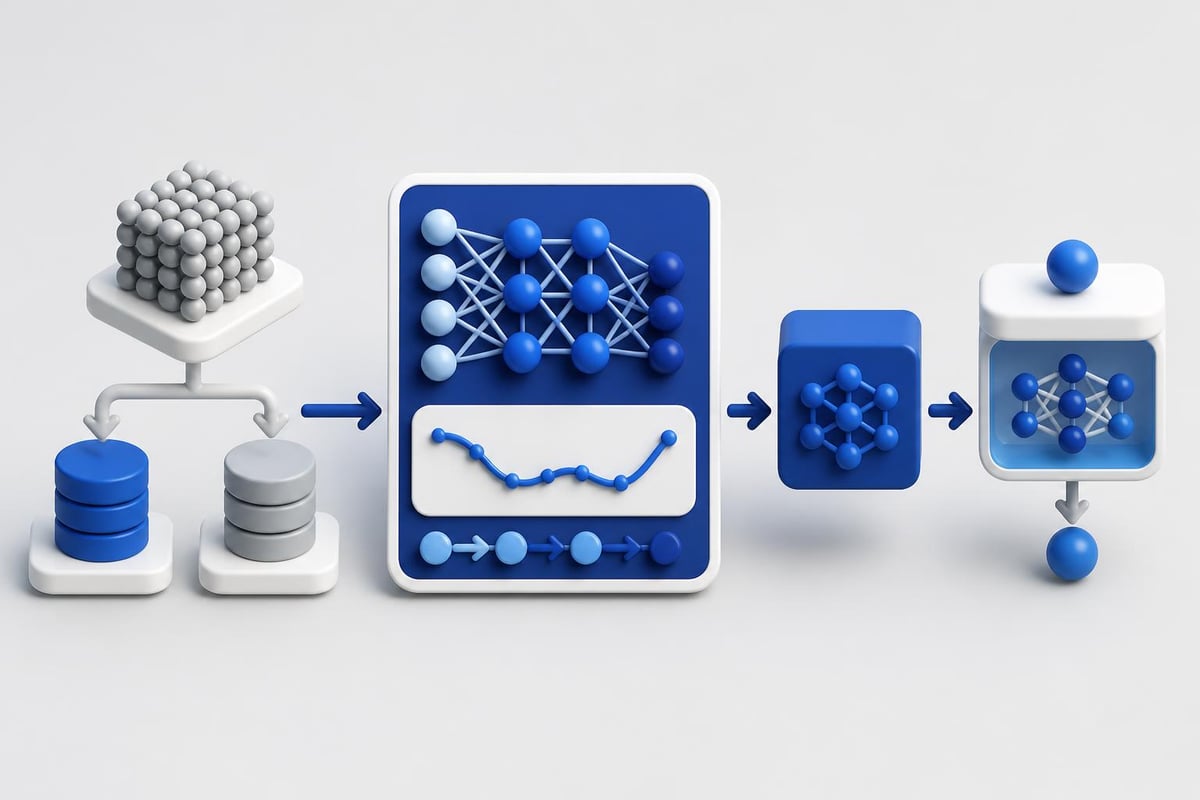
For production applications, you train once (or periodically retrain), save the model, then load it for inference. This pattern applies whether you're building custom models or fine-tuning pre-trained ones.
import joblib

# Save trained model
joblib.dump(model, 'iris_classifier.pkl')

# Load for inference later
loaded_model = joblib.load('iris_classifier.pkl')
new_prediction = loaded_model.predict([[5.1, 3.5, 1.4, 0.2]])
Work With Real Data
Artificial intelligence programming for beginners requires hands-on experience with messy, real-world datasets. Kaggle, UCI Machine Learning Repository, and government open data portals provide thousands of datasets across every domain.
Data preprocessing steps:
- Load data using pandas
- Check for missing values and outliers
- Convert categorical variables to numbers
- Scale numerical features to similar ranges
- Split into training and testing sets
Most beginners underestimate data preparation. Expect to spend 70% of your time cleaning and formatting data, 20% training models, and 10% evaluating results.
import pandas as pd
from sklearn.preprocessing import StandardScaler

# Load dataset
df = pd.read_csv('customer_data.csv')

# Handle missing values
df.fillna(df.mean(), inplace=True)

# Scale numerical features
scaler = StandardScaler()
df[['age', 'income']] = scaler.fit_transform(df[['age', 'income']])
The AI Python for Beginners course by DeepLearning.AI covers data manipulation in depth, showing how to use pandas effectively for AI projects.
Visualize Your Data
Understanding data through visualization reveals patterns that influence model design. Use matplotlib and seaborn to create plots that expose relationships between features.
import matplotlib.pyplot as plt
import seaborn as sns

# Correlation heatmap
correlation = df.corr()
sns.heatmap(correlation, annot=True, cmap='coolwarm')
plt.show()

# Feature distribution
df['age'].hist(bins=30)
plt.xlabel('Age')
plt.ylabel('Frequency')
plt.show()
Learn Prompt Engineering
For artificial intelligence programming for beginners working with large language models, prompt engineering is a core skill. The quality of your prompts directly determines output quality.
Effective prompts include context, specify output format, and provide examples when needed. This structured approach, often called few-shot prompting, dramatically improves results.
| Prompt Type | Use Case | Example |
|---|---|---|
| Zero-shot | Simple tasks with clear instructions | "Summarize this article in 3 bullet points" |
| Few-shot | Tasks requiring specific format | Provide 2-3 examples before asking |
| Chain-of-thought | Complex reasoning | "Explain your reasoning step-by-step" |
| System prompts | Setting behavior and tone | Define role and constraints upfront |
Learning about AI development workflows includes understanding how to structure prompts for consistency across different use cases.
system_prompt = """You are a code review assistant.
Analyze code for bugs, performance issues, and best practices.
Format output as:
1. Issues Found: [list]
2. Suggestions: [list]
3. Severity: [High/Medium/Low]"""

user_code = """
def calculate_total(items):
    total = 0
    for i in range(len(items)):
        total = total + items[i]
    return total
"""

response = client.chat.completions.create(
    model="gpt-4",
    messages=[
        {"role": "system", "content": system_prompt},
        {"role": "user", "content": user_code}
    ]
)
Test and Iterate Your Prompts
Prompt engineering requires experimentation. Test variations, measure results, and refine based on outputs. Tools like LangSmith and PromptLayer help track prompt performance across versions.
Save successful prompts in version control. Treat them like code because they directly impact application behavior. Small wording changes can significantly alter results.
Build an End-to-End Project
Theory means nothing without implementation. Pick a project that solves a real problem you face. Common artificial intelligence programming for beginners projects include:
- Sentiment analysis tool that classifies customer reviews
- Email categorization system using text classification
- Content summarization API for research papers
- Chatbot assistant for documentation queries
- Image classification service for product photos
Microsoft’s AI for Beginners curriculum offers structured lessons with hands-on labs covering computer vision, natural language processing, and more.
For developers serious about production-ready skills, building certified projects through programs like AI Developer Certification (Mammoth Club) provides structured learning paths that focus on shipping real applications rather than just completing tutorials.

Deploy Your AI Application
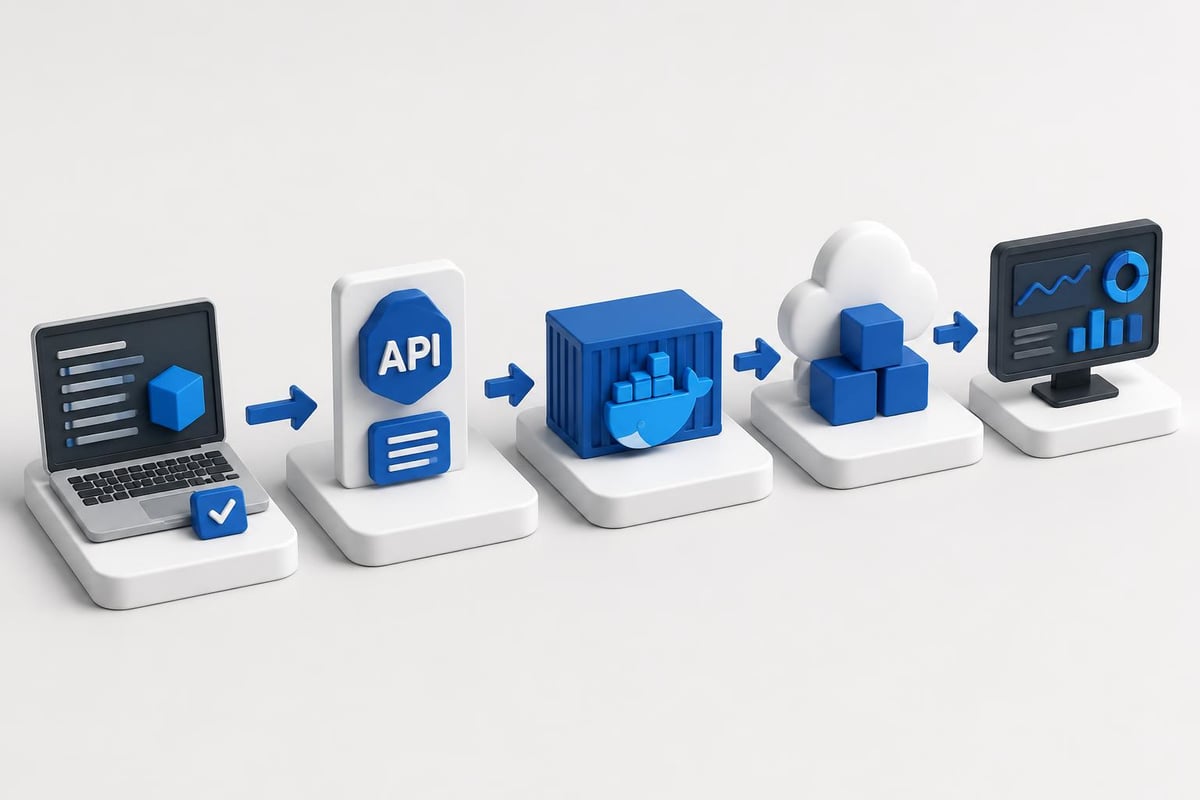
Deployment turns your local code into a service others can use. FastAPI provides a lightweight framework for creating REST APIs that serve AI models.
from fastapi import FastAPI
from pydantic import BaseModel

app = FastAPI()

class PredictionInput(BaseModel):
    text: str

@app.post("/predict")
async def predict(input: PredictionInput):
    # Your AI model inference here
    result = model.predict([input.text])
    return {"prediction": result[0], "confidence": 0.95}
Deploy to platforms like Railway, Render, or Vercel for small projects. These services handle scaling, monitoring, and HTTPS automatically. For production applications, learn Docker containerization and Kubernetes orchestration.
Study Reinforcement Learning Basics
Reinforcement learning represents a different paradigm where agents learn through trial and error. While more complex than supervised learning, it solves problems like game playing, robotics, and optimization.
OpenAI Gym provides environments for testing RL algorithms. Start with simple environments like CartPole before moving to complex scenarios.
import gym

env = gym.make('CartPole-v1')
state = env.reset()

for _ in range(1000):
    env.render()
    action = env.action_space.sample()  # Random action
    state, reward, done, info = env.step(action)

    if done:
        state = env.reset()

env.close()
The Reinforcement Learning overview provides academic foundations for understanding RL concepts, though practical implementation requires significant experimentation.
Understand the Q-Learning Algorithm
Q-learning is a fundamental RL algorithm that learns action values. The agent maintains a Q-table mapping state-action pairs to expected rewards, updating it through experience.
For artificial intelligence programming for beginners, implementing a simple Q-learning agent on a grid world problem demonstrates core concepts without overwhelming complexity.
Choose the Right AI Framework
Different frameworks serve different needs. TensorFlow offers production-grade tools and deployment options. PyTorch provides flexibility and research-focused features. Scikit-learn handles traditional machine learning efficiently.
| Framework | Learning Curve | Best For | Production Ready |
|---|---|---|---|
| Scikit-learn | Low | Traditional ML, prototyping | Yes |
| PyTorch | Medium | Research, deep learning | Yes |
| TensorFlow | Medium-High | Production deployment, mobile | Yes |
| JAX | High | High-performance computing | Limited |
The systematic review of AI programming languages discusses how language choice affects AI development capabilities and project outcomes.
Most beginners start with scikit-learn for traditional ML, then move to PyTorch for deep learning projects. This progression builds understanding incrementally rather than overwhelming you with complex abstractions immediately.
Understand Framework Trade-offs
Each framework makes different architectural decisions. PyTorch uses dynamic computation graphs, making debugging easier. TensorFlow uses static graphs, optimizing performance but complicating development.
Choose based on your project requirements and team expertise. For most artificial intelligence programming for beginners scenarios, scikit-learn and PyTorch provide the best balance of power and usability.
Practice Debugging AI Applications
AI debugging differs from traditional software debugging. Models fail silently, producing plausible but wrong outputs. Learn to recognize these failures:
Common AI debugging scenarios:
- Model underfitting (too simple for the data)
- Model overfitting (memorizing training data)
- Data leakage (test data contaminating training)
- Poor feature engineering
- Incorrect hyperparameters
Add logging throughout your pipeline to track data shapes, model outputs, and performance metrics. Print sample predictions during training to spot issues early.
import logging

logging.basicConfig(level=logging.INFO)
logger = logging.getLogger(__name__)

def train_model(X_train, y_train):
    logger.info(f"Training data shape: {X_train.shape}")

    model.fit(X_train, y_train)

    # Sample predictions for debugging
    sample_pred = model.predict(X_train[:5])
    logger.info(f"Sample predictions: {sample_pred}")
    logger.info(f"Actual labels: {y_train[:5]}")

    return model
The vibe coding approach uses AI tools to help debug code by generating test cases and suggesting fixes based on error messages.
Monitor Model Performance Over Time
Production AI models degrade as data distributions change. Implement monitoring to track accuracy, latency, and error rates. Set up alerts when metrics fall below thresholds.
Tools like Weights & Biases, MLflow, and TensorBoard provide dashboards for tracking experiments and production performance. Start logging metrics from your first project to build good habits early.
Explore Computer Vision Basics
Computer vision teaches machines to understand images and video. The field has exploded with the availability of pre-trained models like YOLO, ResNet, and Vision Transformers.
Starting with image classification using pre-trained models requires minimal code. Transfer learning lets you adapt models trained on millions of images to your specific use case.
from torchvision import models, transforms
from PIL import Image

# Load pre-trained ResNet model
model = models.resnet50(pretrained=True)
model.eval()

# Prepare image
transform = transforms.Compose([
    transforms.Resize(256),
    transforms.CenterCrop(224),
    transforms.ToTensor(),
    transforms.Normalize(mean=[0.485, 0.456, 0.406],
                       std=[0.229, 0.224, 0.225])
])

image = Image.open("photo.jpg")
input_tensor = transform(image).unsqueeze(0)

# Predict
with torch.no_grad():
    output = model(input_tensor)
    prediction = output.argmax(dim=1)
This code loads a model trained on ImageNet, processes an image, and predicts its class. You can fine-tune these models on custom datasets with relatively small amounts of training data.
Build Natural Language Processing Skills
NLP powers chatbots, sentiment analysis, and text generation. Modern NLP uses transformer models like BERT and GPT, accessed through APIs or loaded locally via Hugging Face.
For artificial intelligence programming for beginners, start with simple text classification tasks. Spam detection, sentiment analysis, and topic categorization provide clear metrics and fast feedback.
from transformers import pipeline

# Load sentiment analysis pipeline
classifier = pipeline('sentiment-analysis')

# Analyze text
results = classifier([
    "This product exceeded my expectations!",
    "Terrible experience, would not recommend."
])

for result in results:
    print(f"Label: {result['label']}, Score: {result['score']:.2f}")
The Hugging Face library abstracts model complexity, letting you use state-of-the-art models with a few lines of code. This approach prioritizes building applications over understanding every implementation detail.
Work With Text Embeddings
Embeddings convert text into numerical vectors that capture semantic meaning. Similar texts produce similar vectors, enabling semantic search and recommendation systems.
from sentence_transformers import SentenceTransformer

model = SentenceTransformer('all-MiniLM-L6-v2')

sentences = [
    "Python is a programming language",
    "JavaScript runs in browsers",
    "Python is used for AI development"
]

embeddings = model.encode(sentences)

# Calculate similarity
from sklearn.metrics.pairwise import cosine_similarity
similarities = cosine_similarity(embeddings)
print(similarities)
Understanding embeddings enables building semantic search, document similarity, and clustering applications critical for modern AI systems.
Learn Continuously Through Projects
The Coursera course on applying AI using Python guides beginners through building and training their first machine learning models with structured projects.
Artificial intelligence programming for beginners requires consistent practice. Build one small project each week. Document your code, share on GitHub, and iterate based on feedback. This portfolio demonstrates practical skills to employers better than certifications alone.
Join communities like Reddit's r/MachineLearning, Discord servers focused on AI development, and local meetups. Learning from others' mistakes accelerates your progress significantly.
Weekly project ideas:
- Weather prediction using historical data
- Stock price trend classifier
- Recipe generator using GPT
- Image style transfer application
- Voice-to-text transcription service
- Product recommendation engine
- Automated email responder
- News article summarizer
Track your learning in a public blog or GitHub repository. Teaching concepts forces you to understand them deeply, and your documentation becomes a resource for other beginners.
Starting artificial intelligence programming for beginners means choosing Python, mastering API integration, and building real projects that solve actual problems. Focus on practical implementation over theoretical perfection, and ship working code early and often. AI Code Central offers step-by-step tutorials, production-ready code examples, and project-based learning paths that help you move from beginner to shipping AI features in real applications.