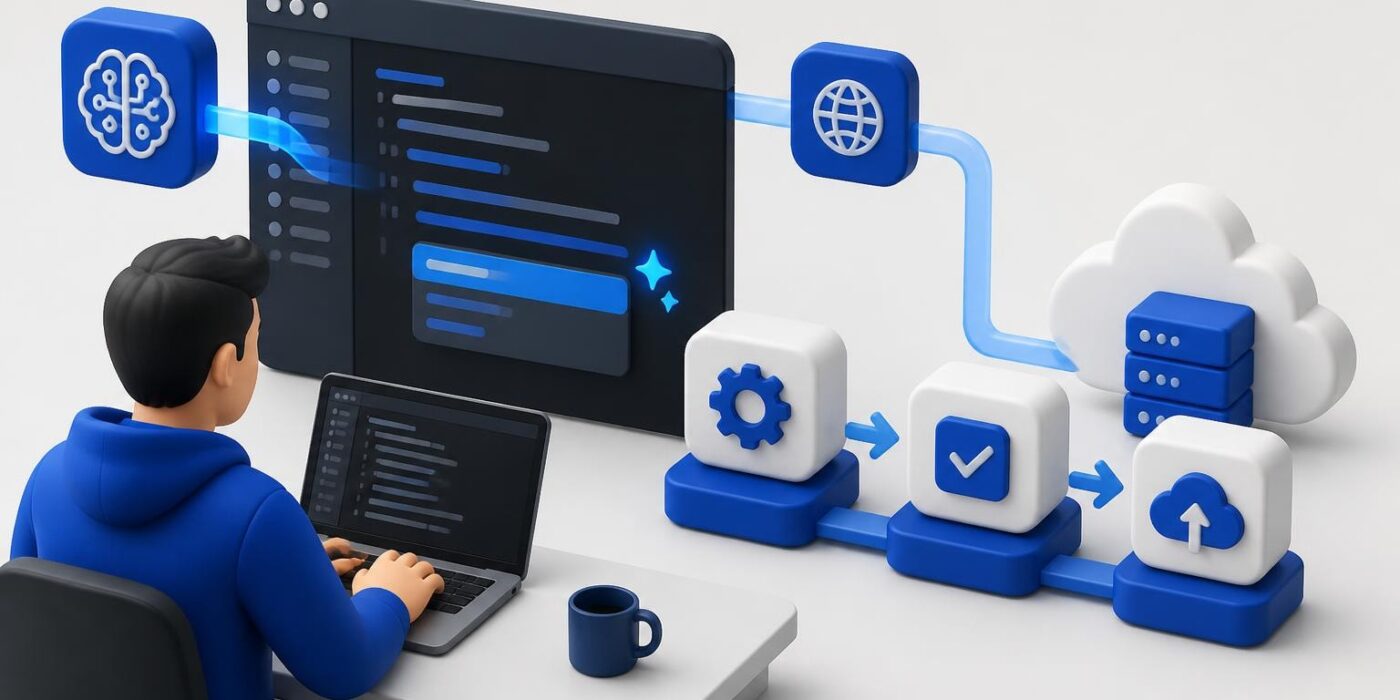
The relationship between ai and coding has shifted from theoretical possibility to practical necessity. Developers now use AI models to generate code, debug applications, automate testing workflows, and optimize deployment pipelines. This isn't about replacing developers but extending what's possible in a single sprint. Modern AI tools integrate directly into IDEs, version control systems, and CI/CD workflows, making AI-assisted development a standard part of shipping software. Understanding how to leverage these tools effectively separates developers who ship fast from those who struggle with velocity.
Code Generation Tools in Production Environments
AI code generation has moved beyond simple autocomplete. Tools like GitHub Copilot, Amazon CodeWhisperer, and Claude now understand context across multiple files, suggest entire functions, and generate boilerplate code that matches your project's patterns.
How AI Generates Context-Aware Code
Modern AI models analyze your codebase structure, naming conventions, and existing patterns before suggesting new code. They scan imported libraries, read type definitions, and understand the relationships between modules. When you start typing a function name, the AI predicts not just the syntax but the logic based on similar patterns in your project.
Key capabilities include:
- Multi-file context understanding across your entire repository
- Type-aware suggestions that match your TypeScript or Python type hints
- Framework-specific code generation for React, Next.js, FastAPI, or Django
- Test generation that mirrors your existing test structure
- Documentation string creation based on function signatures
The practical impact shows in AI-assisted coding workflows that reduce time spent on repetitive implementation tasks. Developers report spending less time writing CRUD operations, API endpoints, and standard form validation logic.
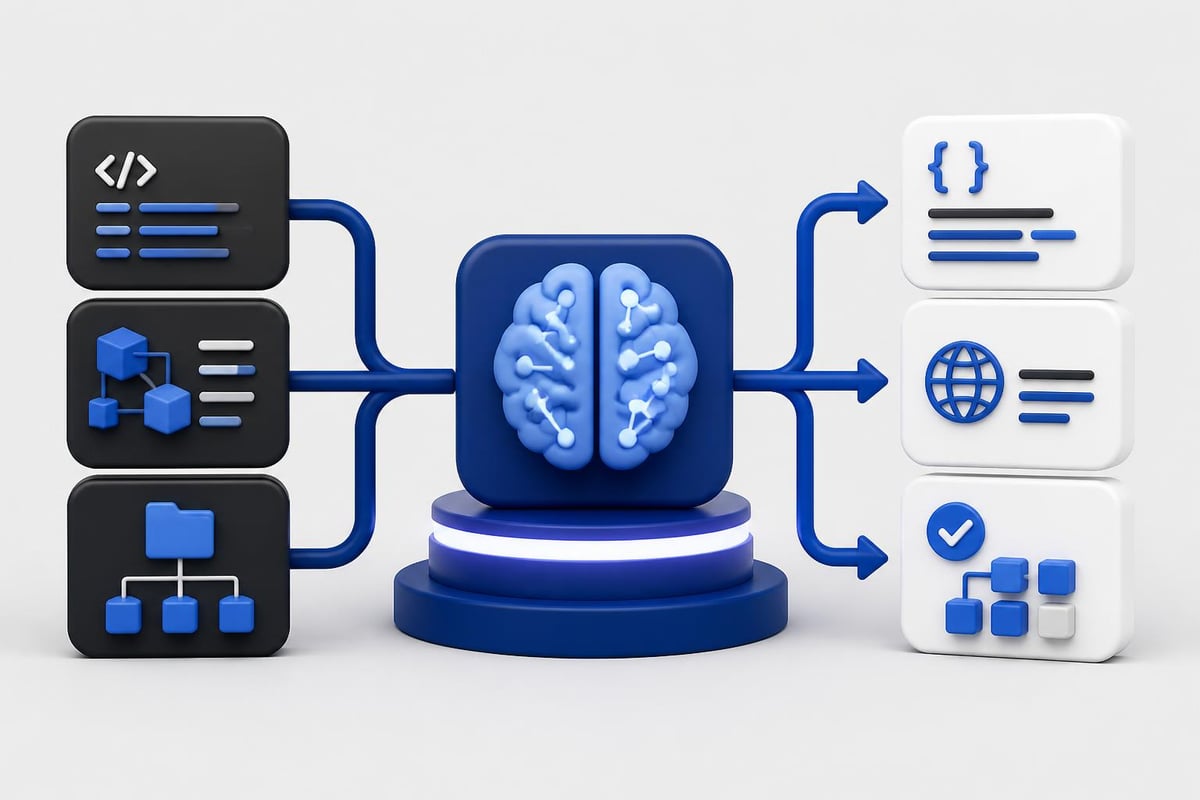
Implementation Strategies for AI Code Assistants
Getting value from AI code generation requires intentional integration into your development workflow. Start by using AI for well-defined, repetitive tasks where the pattern is clear and the risk is low.
- Begin with boilerplate and scaffolding – Let AI generate initial file structures, database models, or API route handlers
- Use AI for test creation – Generate test cases based on your implementation, then verify coverage
- Leverage AI for code translation – Convert code between languages or update deprecated syntax to modern patterns
- Review all generated code – Treat AI suggestions like junior developer contributions that need review
- Build custom prompts – Create reusable prompts for common tasks specific to your stack
| Use Case | AI Strength | Developer Responsibility |
|---|---|---|
| CRUD operations | High – repetitive patterns | Verify business logic |
| API endpoint creation | High – standard structure | Confirm error handling |
| Database migrations | Medium – schema dependent | Review data integrity |
| Complex algorithms | Low – needs domain expertise | Full implementation review |
| Security code | Low – high risk | Manual security audit |
The balance between speed and quality comes from knowing when to accept AI suggestions and when to write from scratch. For projects exploring AI software development approaches, this judgment becomes critical.
Debugging and Error Detection with AI
AI and coding intersect powerfully in the debugging phase. AI models trained on millions of code samples recognize error patterns instantly and suggest fixes that account for your specific context.
AI-Powered Debugging Workflows
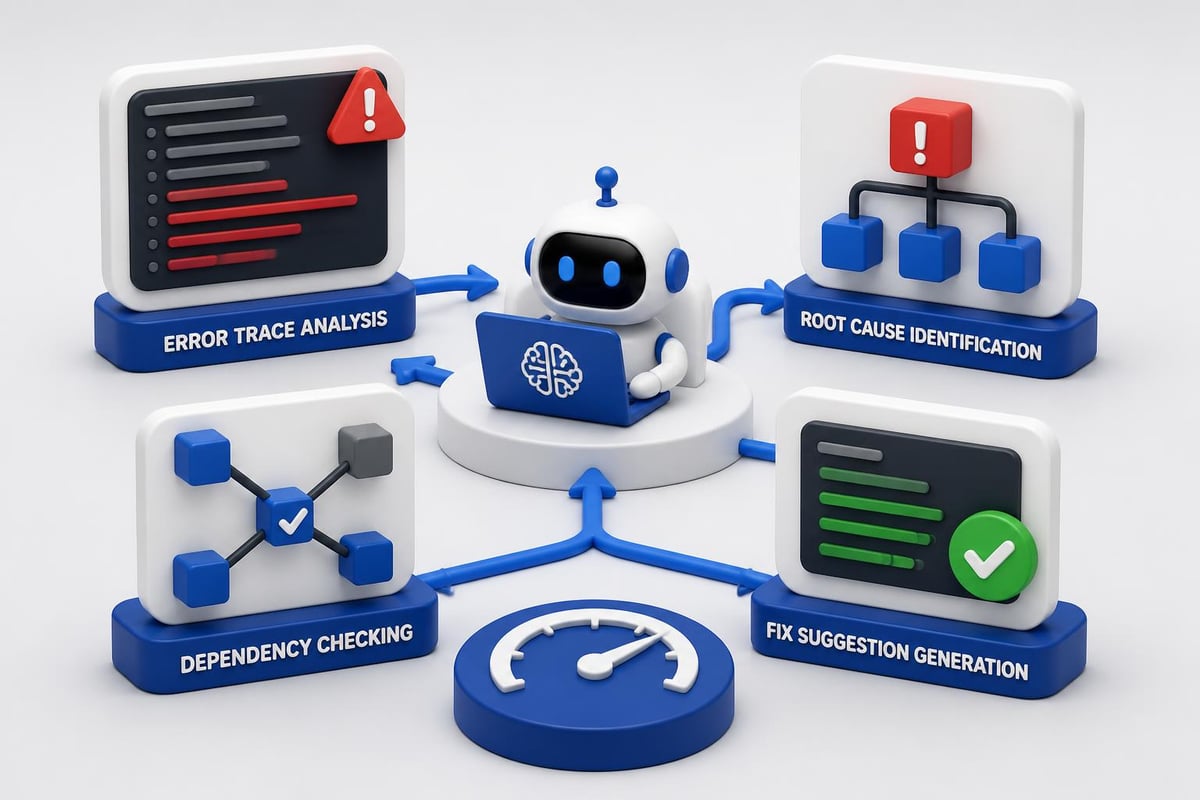
Traditional debugging relies on stack traces, print statements, and step-through debugging. AI adds a layer that interprets errors, suggests root causes, and proposes fixes based on similar issues across codebases.
Modern AI debugging capabilities:
- Error interpretation – Explains cryptic error messages in plain language with context from your code
- Root cause analysis – Traces errors back through call stacks to identify the actual problem
- Fix suggestions – Proposes specific code changes with explanations
- Dependency conflict resolution – Identifies version mismatches and suggests compatible combinations
- Performance bottleneck detection – Analyzes code for inefficient patterns and recommends optimizations
When you paste an error message into an AI assistant, it doesn't just explain the error. It examines your code structure, identifies common causes for that error in your framework, and suggests fixes that match your coding style.
Recent analyses show AI has slashed coding time in 2026, though this speed requires careful attention to quality and testing.
Building AI-Assisted Debug Pipelines
Integrate AI debugging into your development workflow through API calls and automation scripts. Tools like OpenAI's API, Anthropic's Claude, or open-source models can analyze logs, stack traces, and code diffs.
import anthropic

def analyze_error(error_trace, relevant_code):
    client = anthropic.Anthropic(api_key="your_api_key")

    message = client.messages.create(
        model="claude-3-5-sonnet-20241022",
        max_tokens=1024,
        messages=[{
            "role": "user",
            "content": f"Error trace:n{error_trace}nnRelevant code:n{relevant_code}nnExplain the root cause and suggest a fix."
        }]
    )

    return message.content
This approach transforms debugging from manual investigation to assisted analysis. You still make the final decisions, but AI narrows down possibilities and suggests solutions you might not consider.
Automated Testing and Quality Assurance
AI transforms testing from a bottleneck into an accelerator. Modern AI tools generate test cases, identify edge cases, and even create integration tests based on your API specifications.
Test Generation Strategies
AI excels at creating comprehensive test suites because it recognizes patterns in how code should behave. Feed it a function or API endpoint, and it generates tests covering normal cases, edge cases, and error conditions.
For developers working on artificial intelligence based projects, AI-generated tests ensure your models behave correctly across different inputs and scenarios.
Test generation approaches:
- Unit test creation from function signatures and docstrings
- Integration test scaffolding based on API contracts
- Edge case identification by analyzing input types and boundaries
- Mock data generation that matches your schema
- Regression test updates when you modify existing functions
The quality of generated tests depends on the context you provide. Include type hints, clear function names, and existing test examples to guide the AI toward your testing conventions.
| Testing Type | AI Automation Level | Manual Review Needed |
|---|---|---|
| Unit tests | 80% – high automation | Verify edge cases |
| Integration tests | 60% – needs context | Check API contracts |
| E2E tests | 40% – complex flows | Validate user paths |
| Security tests | 30% – requires expertise | Full security audit |
| Performance tests | 50% – pattern-based | Benchmark verification |
Implementing Continuous AI-Assisted Testing
Integrate AI testing tools into your CI/CD pipeline to maintain code quality as you ship. This means calling AI APIs during your build process to generate or update tests automatically.
// GitHub Actions workflow snippet
async function generateTests(changedFiles) {
  const openai = new OpenAI({ apiKey: process.env.OPENAI_API_KEY });

  for (const file of changedFiles) {
    const code = await readFile(file);
    const completion = await openai.chat.completions.create({
      model: "gpt-4-turbo-preview",
      messages: [{
        role: "user",
        content: `Generate Jest tests for this code:nn${code}`
      }]
    });

    await writeFile(`${file}.test.js`, completion.choices[0].message.content);
  }
}
This automation catches issues before they reach production and ensures new code ships with corresponding tests. The approach aligns with how Microsoft describes AI-powered development workflows that boost efficiency and reduce errors.
Security Considerations in AI-Generated Code
AI and coding creates new security challenges. Generated code may include vulnerabilities, outdated patterns, or insecure practices that slip past review if you're not careful.
Understanding AI code security risks becomes essential for production applications.
Validating AI Code for Security Vulnerabilities
Never deploy AI-generated code without security review. AI models trained on public repositories learn from code that includes vulnerabilities, deprecated methods, and insecure patterns.
Security validation steps:
- Run static analysis tools on all AI-generated code before committing
- Check for hardcoded secrets that AI might include in examples
- Verify input validation exists for all user-facing functions
- Review authentication logic manually, never trust AI for auth code
- Test SQL queries for injection vulnerabilities
- Scan dependencies for known CVEs in suggested packages
AI tools are particularly prone to suggesting outdated authentication methods, unsafe deserialization, or SQL concatenation instead of parameterized queries. These patterns appear frequently in training data but represent security antipatterns.
Building production-ready applications requires combining AI speed with human security expertise. For developers pursuing certification or formal training, the AI Developer Certification (Mammoth Club) program covers secure AI integration patterns, prompt engineering for safe code generation, and production deployment workflows that maintain security standards.

Building Security-First AI Coding Workflows
Implement automated security checks that run whenever AI generates code. Combine AI code generation with security scanning tools in your pre-commit hooks and CI pipeline.
def validate_ai_code(generated_code):
    security_checks = [
        check_hardcoded_secrets(generated_code),
        scan_sql_injection_risk(generated_code),
        verify_input_validation(generated_code),
        check_dependency_vulnerabilities(generated_code)
    ]

    vulnerabilities = [check for check in security_checks if not check.passed]

    if vulnerabilities:
        raise SecurityError(f"Found {len(vulnerabilities)} security issues")

    return generated_code
This validation layer acts as a safety net between AI generation and production deployment. It catches common mistakes while preserving the speed benefits of AI-assisted coding.

API Integration and Backend Automation
AI excels at automating backend tasks, from API integration to data pipeline construction. Developers use AI to generate API client code, build webhook handlers, and create database migration scripts.
Generating API Integration Code
Modern applications integrate with dozens of third-party APIs. AI and coding combine to accelerate this integration work by generating type-safe client code from API specifications.
API integration automation:
- Client generation from OpenAPI specs or Postcard collections
- Type definition creation for TypeScript or Python type checking
- Error handling patterns based on API documentation
- Retry logic implementation with exponential backoff
- Rate limiting handling to respect API quotas
Tools like those reviewed in practical AI coding tutorials demonstrate how to automate API integration rather than writing boilerplate manually.
// AI-generated API client from OpenAPI spec
interface StripeCreatePaymentIntent {
  amount: number;
  currency: string;
  customer?: string;
  metadata?: Record<string, string>;
}

async function createPaymentIntent(
  params: StripeCreatePaymentIntent
): Promise<PaymentIntent> {
  const response = await fetch('https://api.stripe.com/v1/payment_intents', {
    method: 'POST',
    headers: {
      'Authorization': `Bearer ${process.env.STRIPE_SECRET_KEY}`,
      'Content-Type': 'application/x-www-form-urlencoded'
    },
    body: new URLSearchParams(params as any)
  });

  if (!response.ok) {
    throw new StripeError(await response.text());
  }

  return response.json();
}
This code handles authentication, type safety, error cases, and proper header formatting automatically, reducing integration time from hours to minutes.
Building Data Pipelines with AI
AI assists in building ETL pipelines, data transformation scripts, and batch processing jobs. It generates code that handles common data operations while you focus on business logic.
| Pipeline Stage | AI Contribution | Developer Focus |
|---|---|---|
| Data extraction | Connection code, query generation | Source validation |
| Transformation | Type conversion, cleaning logic | Business rules |
| Validation | Schema checking, null handling | Data quality rules |
| Loading | Insert/update logic, batch handling | Performance tuning |
| Error handling | Retry patterns, logging | Alert configuration |
AI tools understand common data pipeline patterns and generate code that follows best practices for your chosen framework, whether Airflow, dbt, or custom scripts.
Real-Time Code Review and Optimization
AI-powered code review tools analyze pull requests, suggest improvements, and catch bugs before they reach production. This automated review complements human code review rather than replacing it.
Automated Code Review Integration
Integrate AI code review into your GitHub, GitLab, or Bitbucket workflows through API calls or marketplace applications. AI reviewers check for code quality issues, potential bugs, and style violations.
AI code review capabilities:
- Performance optimization suggestions based on algorithmic complexity
- Code duplication detection across your entire codebase
- Best practice recommendations specific to your framework
- Breaking change identification in dependency updates
- Documentation gap detection for public APIs and functions
The insights from IBM’s analysis of AI in software development show how automated review accelerates development cycles while maintaining code quality.
// Automated review comment generation
async function reviewPullRequest(prDiff) {
  const response = await openai.chat.completions.create({
    model: "gpt-4-turbo-preview",
    messages: [{
      role: "system",
      content: "You are a code reviewer. Analyze this diff and suggest improvements."
    }, {
      role: "user",
      content: prDiff
    }]
  });

  const suggestions = parseSuggestions(response.choices[0].message.content);

  for (const suggestion of suggestions) {
    await github.rest.pulls.createReviewComment({
      owner,
      repo,
      pull_number: prNumber,
      body: suggestion.comment,
      path: suggestion.file,
      line: suggestion.line
    });
  }
}
This automation provides immediate feedback to developers, catching issues while context is fresh rather than waiting for human review.
Performance Monitoring and Optimization
AI tools monitor application performance and suggest optimizations based on runtime data. They identify bottlenecks, recommend database index changes, and propose caching strategies.
AI-Powered Performance Analysis
Connect AI models to your application metrics, logs, and traces to identify performance issues automatically. AI recognizes patterns in slow queries, memory leaks, and inefficient algorithms.
For developers exploring AI and software development integration, performance monitoring demonstrates how AI assists in production operations, not just development.
Performance optimization areas:
- Database query analysis with index recommendations
- API endpoint optimization based on response time patterns
- Memory usage profiling to identify leak sources
- Cache strategy suggestions for frequently accessed data
- Code splitting recommendations for frontend bundles
def analyze_slow_queries(query_logs):
    slow_queries = [q for q in query_logs if q.duration > 1000]

    analysis = openai.chat.completions.create(
        model="gpt-4-turbo-preview",
        messages=[{
            "role": "user",
            "content": f"Analyze these slow SQL queries and suggest optimizations:n{slow_queries}"
        }]
    )

    return analysis.choices[0].message.content
This approach transforms raw performance data into actionable recommendations, helping teams ship faster applications without manual analysis overhead.
Implementing Continuous Performance Optimization
Set up automated performance monitoring that triggers AI analysis when metrics degrade. This creates a feedback loop where performance issues are detected and diagnosed automatically.
Research from Coursera on AI in software development highlights how AI reduces errors and accelerates time to market through continuous optimization.
Training and Skill Development
Developers need structured approaches to learning ai and coding integration effectively. This means hands-on projects, API integration practice, and real production scenarios rather than theoretical concepts.
Building AI Integration Skills
Start with practical projects that solve real problems. Build a code review bot, create an automated testing system, or implement AI-powered documentation generation.
Skill-building projects:
- AI-powered code search that understands natural language queries
- Automated PR summary generator that explains code changes
- Test case generator from API specifications
- Documentation writer that creates docs from code comments
- Performance analyzer that reviews code for bottlenecks
Each project teaches specific API integration patterns, prompt engineering techniques, and error handling strategies needed for production AI applications.
Developers working through AI practical projects gain experience with the tools, APIs, and workflows that define modern AI-assisted development.
| Skill Area | Learning Approach | Time Investment |
|---|---|---|
| API integration | Build 3 projects using different AI APIs | 2-3 weeks |
| Prompt engineering | Practice with 50+ prompt variations | 1-2 weeks |
| Error handling | Implement retry logic and fallbacks | 1 week |
| Production deployment | Ship one AI feature to production | 2-4 weeks |
| Cost optimization | Monitor and reduce API costs | Ongoing |
The investment in learning these skills pays off through faster development velocity, better code quality, and the ability to ship AI features that differentiate your applications.
AI and coding have merged into a single workflow where developers leverage models to write better code faster. The key is understanding which tasks benefit from AI assistance and which require human expertise. Mastering API integration, prompt engineering, and production deployment patterns separates developers who effectively use AI from those who struggle with it. AI Code Central provides the tutorials, projects, and practical guides you need to build production-ready AI applications and stay competitive in modern software development.