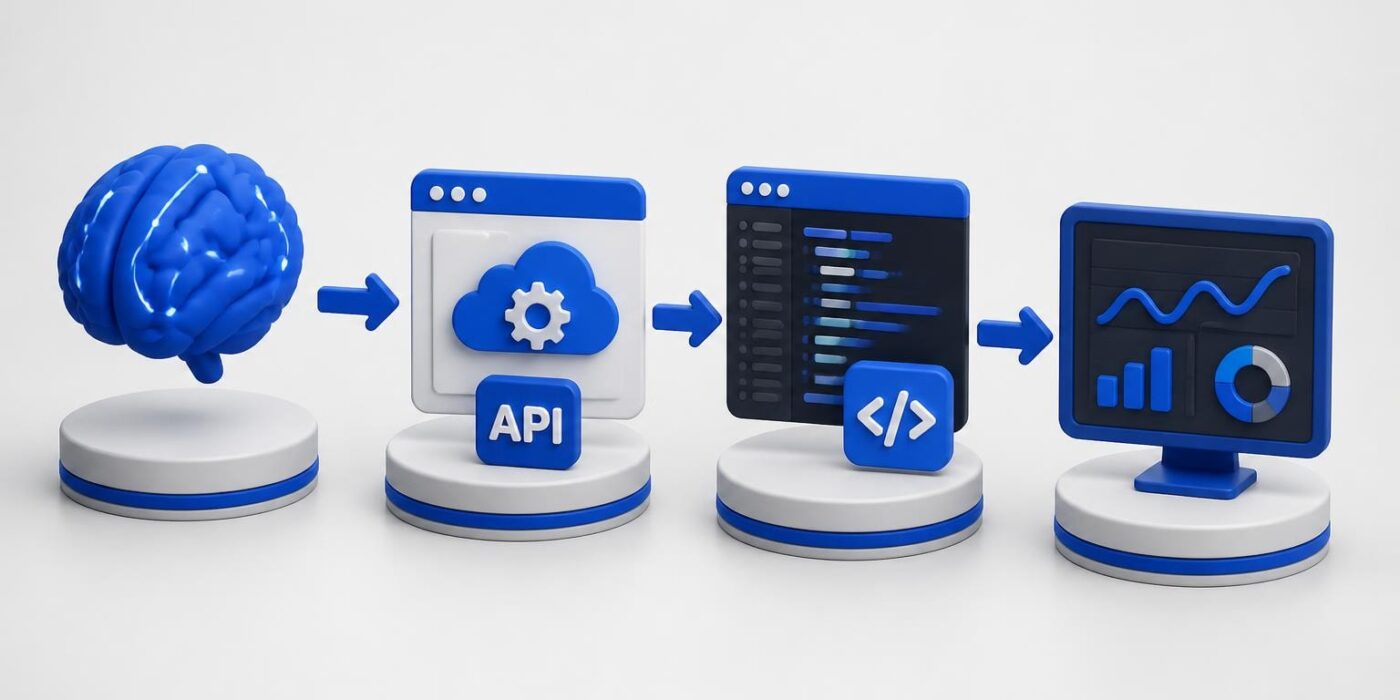
The gap between understanding AI concepts and shipping production code continues to widen as frameworks evolve faster than most tutorials can cover. Developers today need ai practical skills that translate directly into working applications, not just theoretical knowledge about neural networks or machine learning algorithms. This guide focuses on the implementation side: integrating AI APIs, handling errors, managing costs, and deploying features that users actually interact with.
Moving From Theory to Implementation
Most AI education focuses on how models work internally. You learn about transformers, attention mechanisms, and training data. While this foundation matters, it doesn't help you ship a feature on Tuesday.
What AI Practical Skills Actually Mean
AI practical development centers on API integration, prompt engineering, error handling, and cost management. You're working with existing models through REST APIs or SDKs, not training custom neural networks from scratch.
Core practical skills include:
- Making authenticated API calls to OpenAI, Anthropic, or similar providers
- Writing effective prompts that produce consistent outputs
- Parsing and validating JSON responses from language models
- Implementing retry logic and fallback strategies
- Managing token usage and API costs
- Caching responses to reduce redundant calls
- Streaming responses for better user experience
These skills apply immediately to real projects. You can integrate AI into an existing application within hours, not months.

Building Your First Integration
Start with a simple text completion endpoint. This example uses the OpenAI API with Node.js:
import OpenAI from 'openai';

const client = new OpenAI({
  apiKey: process.env.OPENAI_API_KEY,
});

async function generateResponse(userMessage) {
  try {
    const completion = await client.chat.completions.create({
      model: 'gpt-4',
      messages: [
        { role: 'system', content: 'You are a helpful coding assistant.' },
        { role: 'user', content: userMessage }
      ],
      temperature: 0.7,
      max_tokens: 500,
    });

    return completion.choices[0].message.content;
  } catch (error) {
    if (error.status === 429) {
      // Rate limited, wait and retry
      await new Promise(resolve => setTimeout(resolve, 2000));
      return generateResponse(userMessage);
    }
    throw error;
  }
}
This code handles the basics: authentication, request formatting, response extraction, and rate limit retries. It's ai practical code you can deploy today.
Real-World Use Cases for Developers
Abstract examples don't help when you're solving actual business problems. Here are implementation patterns from production applications.
Content Processing Pipelines
Many applications need to analyze, categorize, or transform user-generated content. AI excels at these tasks.
| Task | Implementation Approach | Typical Latency |
|---|---|---|
| Sentiment analysis | Single API call with structured output | 500-800ms |
| Content categorization | Few-shot prompt with examples | 600-1000ms |
| Summarization | Chunking + parallel processing | 1-3 seconds |
| Translation | Direct API call with language codes | 400-700ms |
For content moderation, you might combine multiple AI calls:
import anthropic
import json

def moderate_content(text):
    client = anthropic.Anthropic(api_key=os.environ.get("ANTHROPIC_API_KEY"))

    message = client.messages.create(
        model="claude-3-5-sonnet-20241022",
        max_tokens=150,
        messages=[{
            "role": "user",
            "content": f"Analyze this text for policy violations. Return JSON with 'safe' (boolean) and 'reasons' (array). Text: {text}"
        }]
    )

    result = json.loads(message.content[0].text)
    return result['safe'], result['reasons']
This ai practical pattern returns structured data you can use in conditional logic. The artificial intelligence based projects guide shows more examples of integrating these patterns into larger applications.
Code Generation and Analysis
AI can generate boilerplate code, write tests, or explain complex logic. These features integrate directly into developer tools.
Practical applications:
- Generating API endpoint scaffolding from OpenAPI specs
- Writing unit tests based on function signatures
- Converting code between programming languages
- Explaining error messages in plain language
- Suggesting optimizations for database queries
The key is constraining the AI's output. Don't ask it to "write a backend." Ask it to generate a specific function with defined inputs and outputs.

Prompt Engineering for Production
Writing prompts that work reliably in production requires systematic testing and refinement. One-off ChatGPT conversations don't translate to consistent application behavior.
Structured Prompts vs. Freeform
Structured prompts produce more reliable outputs. Use XML tags, JSON schemas, or clear delimiters to define sections.
<task>
Extract the following information from the user's message:
- Product name
- Quantity (integer)
- Urgency level (low/medium/high)
</task>

<examples>
Message: "I need 5 keyboards ASAP"
Output: {"product": "keyboard", "quantity": 5, "urgency": "high"}

Message: "Send me a mouse when you can"
Output: {"product": "mouse", "quantity": 1, "urgency": "low"}
</examples>

<message>
{user_input}
</message>
This ai practical approach gives the model clear structure and examples. You get consistent JSON back that your application can parse without extensive error handling.
Testing and Versioning Prompts
Treat prompts like code. Version them, test them against datasets, and measure performance.
| Metric | Measurement Approach | Target |
|---|---|---|
| Accuracy | Manual review of 100 outputs | >95% correct |
| Consistency | Same input 10x, compare outputs | >90% identical |
| Latency | Average response time | <2 seconds |
| Cost | Tokens per request | Minimize while maintaining quality |
Track these metrics in your CI/CD pipeline. When you update a prompt, regression test it against your validation set before deploying.
Developers looking to formalize these skills and build certification-worthy projects should consider the AI Developer Certification (Mammoth Club), which covers production prompt engineering, API integration, and deployment workflows through hands-on projects.

Error Handling and Resilience
AI APIs fail. Models return unexpected formats. Rate limits hit during peak usage. Production ai practical code accounts for these scenarios.
Common Failure Modes
Rate limiting: Most providers implement per-minute and per-day token limits. Implement exponential backoff and request queuing.
Invalid responses: Models sometimes return malformed JSON or refuse requests. Parse defensively and have fallback behavior.
Timeout errors: Long prompts or high load cause timeouts. Set reasonable timeout values and handle them gracefully.
interface AIResponse {
  success: boolean;
  data?: any;
  error?: string;
  retryable: boolean;
}

async function callAIWithRetry(
  promptFn: () => Promise<any>,
  maxRetries: number = 3
): Promise<AIResponse> {
  let lastError: Error;

  for (let attempt = 0; attempt < maxRetries; attempt++) {
    try {
      const result = await promptFn();
      return { success: true, data: result, retryable: false };
    } catch (error: any) {
      lastError = error;

      if (error.status === 429 || error.status === 503) {
        // Retryable errors
        const delay = Math.pow(2, attempt) * 1000;
        await new Promise(resolve => setTimeout(resolve, delay));
        continue;
      }

      // Non-retryable error
      return {
        success: false,
        error: error.message,
        retryable: false
      };
    }
  }

  return {
    success: false,
    error: lastError!.message,
    retryable: true
  };
}
This pattern gives you typed responses, automatic retries for transient failures, and clear signals about whether to retry at the application level.
Fallback Strategies
Don't let AI failures break your application. Implement degraded functionality.
- Cached responses: Store previous successful outputs for similar inputs
- Rule-based fallbacks: Use traditional logic when AI is unavailable
- User messaging: Tell users when AI features are degraded
- Manual review queue: Flag failed requests for human processing
The code of ai article explores patterns for building resilient AI-powered features.
Cost Management and Optimization
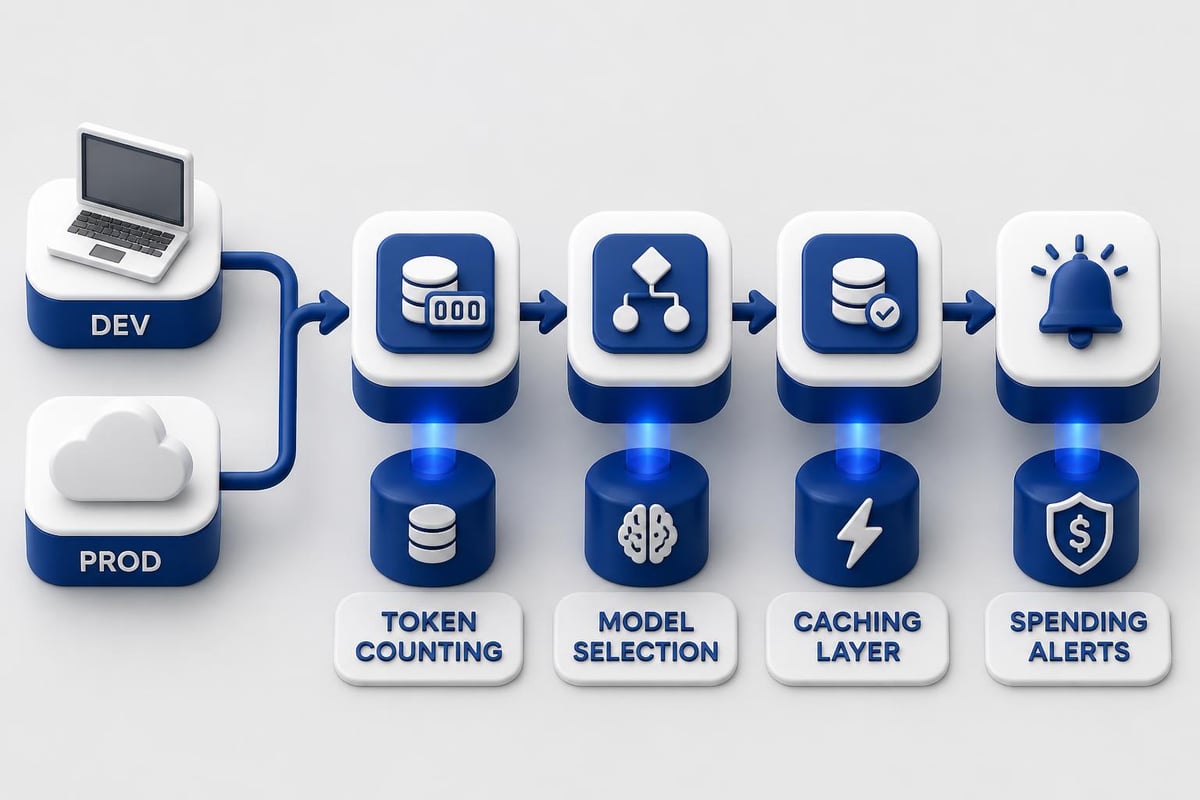
AI API calls cost money. A poorly optimized application can rack up thousands of dollars in unexpected charges.
Token Usage Optimization
Every character you send costs tokens. Every character returned costs tokens. Minimize both without sacrificing quality.
Optimization techniques:
- Remove unnecessary whitespace from prompts
- Use shorter model names in system messages
- Implement response length limits
- Cache common responses in Redis or similar
- Use cheaper models for simple tasks
Compare model costs before choosing:
| Model | Cost per 1M input tokens | Cost per 1M output tokens | Best use case |
|---|---|---|---|
| GPT-4 Turbo | $10 | $30 | Complex reasoning, code generation |
| GPT-3.5 Turbo | $0.50 | $1.50 | Simple classification, basic chat |
| Claude 3.5 Sonnet | $3 | $15 | Balanced performance and cost |
| Claude 3 Haiku | $0.25 | $1.25 | High-volume, simple tasks |
Don't use GPT-4 for tasks that GPT-3.5 handles well. Test with cheaper models first, then upgrade only if quality suffers.
Monitoring and Alerting
Track AI spending in real-time. Set up alerts before costs spiral.
import os
from datetime import datetime, timedelta
from collections import defaultdict

class CostMonitor:
    def __init__(self):
        self.daily_costs = defaultdict(float)
        self.alert_threshold = 100.0  # dollars

    def log_request(self, model, input_tokens, output_tokens):
        cost = self.calculate_cost(model, input_tokens, output_tokens)
        today = datetime.now().date()
        self.daily_costs[today] += cost

        if self.daily_costs[today] > self.alert_threshold:
            self.send_alert(today, self.daily_costs[today])

    def calculate_cost(self, model, input_tokens, output_tokens):
        rates = {
            'gpt-4': (0.00001, 0.00003),
            'gpt-3.5-turbo': (0.0000005, 0.0000015),
        }

        input_cost = input_tokens * rates[model][0]
        output_cost = output_tokens * rates[model][1]
        return input_cost + output_cost

    def send_alert(self, date, cost):
        # Send to monitoring system
        print(f"ALERT: Daily cost for {date} exceeded ${cost:.2f}")
This ai practical monitoring prevents surprise bills and helps you identify expensive patterns before they become problems.
Deployment Patterns
Getting AI features into production requires considering latency, scaling, and reliability alongside your existing infrastructure.
API Gateway Pattern
Route AI requests through a dedicated service that handles authentication, rate limiting, and provider failover.
Architecture components:
- Request queue (Redis, RabbitMQ)
- Worker processes that call AI APIs
- Response cache (Redis)
- Monitoring and logging (Datadog, CloudWatch)
- Provider abstraction layer
This separates AI logic from your main application. You can swap providers, implement retry logic, and scale workers independently.
Streaming vs. Batch Processing
Choose the right processing model for your use case:
| Pattern | Latency | Best for | Implementation complexity |
|---|---|---|---|
| Streaming | Low (partial results immediately) | Chat interfaces, live editing | High |
| Batch | High (wait for complete result) | Email processing, reports | Medium |
| Queue-based | Medium (async with polling) | Background jobs, large volumes | Medium |
Streaming provides better user experience but requires WebSocket connections or Server-Sent Events. Batch processing is simpler to implement and debug.
Real-world examples from enterprise AI deployments show how companies balance these tradeoffs in production systems. Similarly, practical AI implementations across sectors demonstrate deployment patterns that work at scale.
Integration Testing
AI features need different testing strategies than deterministic code. Outputs vary, so traditional equality assertions don't work.
Testing Non-Deterministic Outputs
Use semantic similarity and property-based testing instead of exact matches.
import pytest
from openai import OpenAI
from sklearn.metrics.pairwise import cosine_similarity
import numpy as np

def get_embedding(text, client):
    response = client.embeddings.create(
        model="text-embedding-3-small",
        input=text
    )
    return response.data[0].embedding

def semantic_similarity(text1, text2, client):
    emb1 = get_embedding(text1, client)
    emb2 = get_embedding(text2, client)
    return cosine_similarity([emb1], [emb2])[0][0]

def test_summarization_quality():
    client = OpenAI()
    long_text = "..." # Article text
    expected_summary = "Article discusses AI deployment patterns"

    actual_summary = summarize(long_text)

    # Test semantic similarity instead of exact match
    similarity = semantic_similarity(expected_summary, actual_summary, client)
    assert similarity > 0.85, f"Summary not similar enough: {similarity}"

    # Test properties of the output
    assert len(actual_summary) < len(long_text) * 0.3
    assert "deployment" in actual_summary.lower()
This ai practical testing approach validates behavior without requiring identical outputs every time.
Mocking AI Responses
Don't hit real APIs in your test suite. Mock responses for fast, reliable tests.
// __mocks__/openai.js
export class OpenAI {
  chat = {
    completions: {
      create: jest.fn().mockResolvedValue({
        choices: [{
          message: {
            content: "Mocked AI response"
          }
        }]
      })
    }
  };
}

// test file
import { generateResponse } from './ai-service';
import OpenAI from 'openai';

jest.mock('openai');

test('handles AI response correctly', async () => {
  const result = await generateResponse("test input");
  expect(result).toBe("Mocked AI response");
  expect(OpenAI.prototype.chat.completions.create).toHaveBeenCalledWith(
    expect.objectContaining({
      model: 'gpt-4',
      messages: expect.any(Array)
    })
  );
});
Use real API calls in integration tests, mocks in unit tests.
Security and Privacy Considerations
Sending user data to third-party AI providers requires careful security planning.
Data Handling Best Practices
Never send:
- Personal identifiable information (PII) without user consent
- Passwords, API keys, or credentials
- Proprietary business data to public APIs
- Medical records or financial information
Always:
- Sanitize inputs before sending to AI APIs
- Log what data you're sending and to which provider
- Provide opt-out mechanisms for AI features
- Use your provider's data retention policies (zero retention when available)
- Encrypt data in transit and at rest
Implement input sanitization:
import re

def sanitize_for_ai(user_input, remove_pii=True):
    text = user_input

    if remove_pii:
        # Remove email addresses
        text = re.sub(r'b[A-Za-z0-9._%+-]+@[A-Za-z0-9.-]+.[A-Z|a-z]{2,}b', '[EMAIL]', text)

        # Remove phone numbers
        text = re.sub(r'bd{3}[-.]?d{3}[-.]?d{4}b', '[PHONE]', text)

        # Remove credit card numbers
        text = re.sub(r'bd{4}[-s]?d{4}[-s]?d{4}[-s]?d{4}b', '[CARD]', text)

    # Remove potential injection attempts
    text = text.replace('\', '').replace('```', '')

    return text
This ai practical security layer runs before every API call.
Prompt Injection Defense
Users can manipulate AI behavior through carefully crafted inputs. Defend against prompt injection.
Defense strategies:
- Use separate system and user message roles
- Implement input length limits
- Filter known injection patterns
- Use XML tags or delimiters to separate instructions from user content
- Monitor for unusual outputs that might indicate successful injection
The AI for programming guide covers additional security patterns specific to code-generation features.
Monitoring Production AI Systems
Once deployed, AI features need specialized monitoring beyond standard application metrics.
Key Metrics to Track
| Metric | Why it matters | How to measure |
|---|---|---|
| Response quality | Detect model degradation | User feedback, manual sampling |
| Latency (p50, p95, p99) | User experience | APM tools, custom logging |
| Error rate | API reliability | Error tracking systems |
| Token usage | Cost control | Provider dashboards, custom tracking |
| Cache hit rate | Optimization effectiveness | Redis metrics |
Set up dashboards that show these metrics in real-time. Alert on significant changes.
A/B Testing AI Features
Test prompt changes, model versions, and feature variations with actual users.
function selectAIModel(userId) {
  const bucket = hashUser(userId) % 100;

  if (bucket < 10) {
    return { model: 'gpt-4', variant: 'control' };
  } else if (bucket < 20) {
    return { model: 'gpt-3.5-turbo', variant: 'cheaper' };
  } else {
    return { model: 'claude-3-5-sonnet', variant: 'alternative' };
  }
}

async function generateWithTracking(userId, prompt) {
  const { model, variant } = selectAIModel(userId);

  const startTime = Date.now();
  const response = await callAI(model, prompt);
  const duration = Date.now() - startTime;

  trackMetric('ai_response', {
    variant,
    duration,
    model,
    userId,
    promptLength: prompt.length,
    responseLength: response.length
  });

  return response;
}
This ai practical experimentation framework lets you compare models, prompts, and configurations with real user data. Additional implementation examples from manufacturing AI deployments show how to structure these experiments in production environments.
Building Custom Workflows
Chain multiple AI calls together to solve complex problems. Each step processes the output of the previous step.
Multi-Step Processing
Break large tasks into smaller AI operations:
- Extract data from unstructured text
- Categorize extracted information
- Validate categories against business rules
- Generate summary or action items
- Format final output for delivery
async def process_customer_feedback(feedback_text):
    # Step 1: Extract key information
    extraction_prompt = f"Extract product name, issue type, and sentiment from: {feedback_text}"
    extracted = await call_ai(extraction_prompt)

    # Step 2: Categorize the issue
    category_prompt = f"Categorize this issue: {extracted['issue']}"
    category = await call_ai(category_prompt)

    # Step 3: Generate response
    response_prompt = f"Write a customer service response for {category} issue: {extracted['issue']}"
    response = await call_ai(response_prompt)

    return {
        'product': extracted['product'],
        'category': category,
        'sentiment': extracted['sentiment'],
        'response': response
    }
Each step has a focused task, making debugging easier and allowing you to optimize individual prompts independently.
Parallel Processing
When steps don't depend on each other, run them in parallel to reduce latency.
import asyncio

async def analyze_content(text):
    # Run independent analyses simultaneously
    results = await asyncio.gather(
        call_ai(f"Detect language: {text}"),
        call_ai(f"Extract keywords: {text}"),
        call_ai(f"Analyze sentiment: {text}"),
        call_ai(f"Classify topic: {text}")
    )

    return {
        'language': results[0],
        'keywords': results[1],
        'sentiment': results[2],
        'topic': results[3]
    }
This ai practical pattern reduces total processing time from 4x single-call latency to roughly 1x (plus overhead).
Building ai practical applications means focusing on integration, testing, deployment, and monitoring rather than model architecture. The techniques covered here apply directly to production systems you can ship this week. Whether you're adding AI features to an existing product or building something new from scratch, treating AI as another API in your stack simplifies development and accelerates delivery. AI Code Central provides step-by-step tutorials, real project examples, and production-ready code to help you build, integrate, and deploy AI-powered features faster while avoiding common pitfalls.