
Developers building AI applications need the right tools to ship features quickly without reinventing the wheel. An artificial intelligence package provides pre-built functions, model wrappers, and API abstractions that accelerate development from prototype to production. Whether you're working with Python, Go, R, or other languages, choosing the correct package determines how fast you can integrate AI capabilities into your codebase. This guide walks through practical considerations for selecting, implementing, and deploying AI packages in real-world applications.
Understanding AI Package Architecture
An artificial intelligence package typically consists of several core components that handle different aspects of AI integration. The abstraction layer sits between your application code and the underlying AI models or APIs, providing consistent interfaces regardless of which provider you use.
Key architectural elements include:
- Model initialization and configuration management
- Request formatting and response parsing
- Error handling and retry logic
- Token counting and cost tracking
- Streaming and batch processing support
- Authentication and API key management
The best packages separate concerns cleanly. Your business logic shouldn't know whether you're using OpenAI's GPT-4, Anthropic's Claude, or a local model. The package handles provider-specific details while exposing a unified interface.
Language-Specific Implementations
Different programming languages offer distinct advantages when working with AI packages. Python dominates the AI ecosystem with mature libraries and extensive community support. The GenAI package for R demonstrates how even specialized languages are building AI capabilities for data scientists who prefer staying in their native environment.
Go developers benefit from type safety and performance. The Go Artificial Intelligence library provides abstractions for chat completion and embeddings while maintaining Go's concurrency strengths. This matters when building high-throughput services that process thousands of AI requests per minute.

| Language | Primary Use Case | Key Advantage | Popular Packages |
|---|---|---|---|
| Python | General AI development | Ecosystem maturity | LangChain, Transformers, OpenAI SDK |
| Go | High-performance services | Concurrency and speed | GAI, custom wrappers |
| R | Statistical analysis | Data science integration | GenAI, ai package |
| JavaScript | Full-stack apps | Browser and server support | Vercel AI SDK, LangChain.js |
Selecting the Right Package for Your Stack
Choosing an artificial intelligence package starts with understanding your application requirements. Are you building a chatbot, an embedding search system, a code generator, or a multi-agent workflow? Each use case demands different capabilities from your package.
Evaluation Criteria
Provider flexibility ranks high for production systems. Hard-coding dependencies to a single AI provider creates vendor lock-in. Packages that support multiple providers through adapters or plugins let you switch models without rewriting core logic. This becomes critical when pricing changes or when new models offer better performance for your specific tasks.
Token management and cost tracking separate hobby projects from production apps. Every API call costs money. Your artificial intelligence package should count tokens, estimate costs, and provide hooks for monitoring spending. Some packages include built-in rate limiting and budget caps.
The ai package for R offers interfaces for data processing, model building, and prediction across various AI techniques. This breadth helps teams consolidate tooling rather than juggling multiple dependencies.
Developer experience matters more than you think. A package with clear documentation, TypeScript definitions, and helpful error messages saves hours of debugging. Look for packages that fail fast with actionable error messages rather than generic API failures.
- Active maintenance and regular updates
- Community support and example repositories
- Clear migration paths between versions
- Integration testing utilities
- Local development support without API costs
Implementation Patterns for Production
Getting an artificial intelligence package running in development takes minutes. Making it production-ready takes planning. These patterns help you ship reliable AI features that scale.
Configuration Management
Never hardcode API keys in your package initialization. Use environment variables or secret management systems. Structure your configuration to support multiple environments (development, staging, production) with different models, rate limits, and fallback behaviors.
import os
from ai_package import AIClient

client = AIClient(
    api_key=os.getenv("OPENAI_API_KEY"),
    model=os.getenv("AI_MODEL", "gpt-4"),
    max_retries=3,
    timeout=30,
    environment=os.getenv("ENV", "production")
)
This basic pattern extends to more sophisticated setups where you load configuration from JSON files, remote config services, or feature flags. The artificial intelligence package should validate configuration at startup, not when processing the first request.
Error Handling and Retries
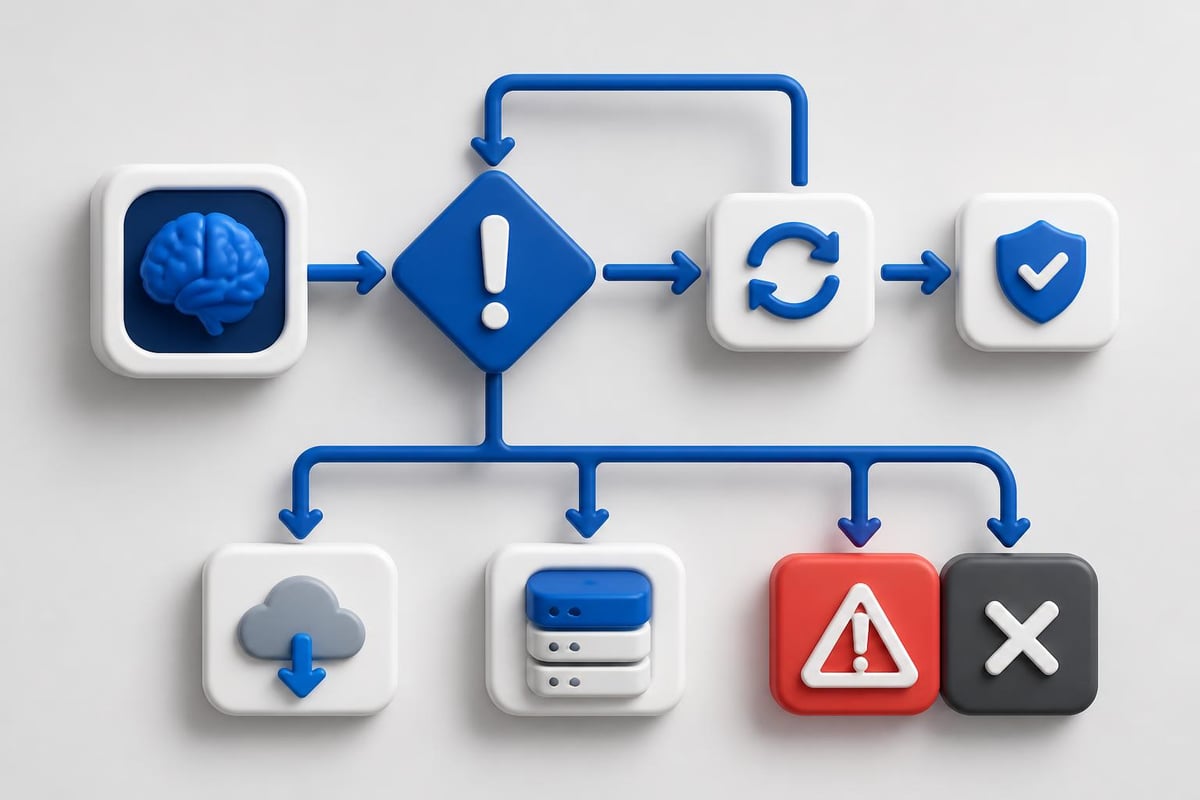
AI APIs fail. Networks hiccup. Rate limits trigger. Your package needs robust error handling that distinguishes between transient failures (retry) and permanent errors (fail fast).
Implement exponential backoff for retries. Start with a short delay and increase it with each attempt. Most AI packages include retry logic, but verify it handles your specific failure modes. Test what happens when the API is completely unreachable versus when it returns rate limit errors.
The AIMMX library from IBM Research extracts metadata from AI models in software repositories, helping teams understand model provenance and versioning. This becomes essential when debugging production issues with specific model versions.
Database Integration and Data Pipelines
Modern applications combine AI with traditional databases for retrieval-augmented generation (RAG), semantic search, and data analysis. Your artificial intelligence package needs clean integration points with your data layer.
Natural Language Database Queries
Oracle's DBMS_CLOUD_AI package demonstrates how AI packages can generate SQL from natural language. This pattern works for internal tools where business users query data without writing SQL.
The implementation requires careful prompt engineering. Your package must understand your schema, enforce security rules, and validate generated queries before execution. Never execute AI-generated SQL directly in production without sandboxing and validation.
| Integration Type | Use Case | Security Consideration |
|---|---|---|
| SQL Generation | Business intelligence queries | Validate and sandbox all generated SQL |
| Embedding Search | Semantic document retrieval | Ensure vector index permissions match data access |
| Data Enrichment | AI-enhanced records | Rate limit to avoid API cost explosions |
| Schema Analysis | Automated documentation | Restrict to read-only database connections |
Vector Database Operations
If you're building RAG systems, your artificial intelligence package interfaces with vector databases like Pinecone, Weaviate, or Postgres with pgvector. The package handles embedding generation, but you manage storage and retrieval.
Design your embedding pipeline for batch processing. Generating embeddings one at a time wastes API calls and money. Buffer documents and process them in batches. Most AI packages support batch embedding endpoints that significantly reduce costs.
For developers looking to build production-ready AI applications with hands-on certification, AI Developer Certification (Mammoth Club) provides structured projects covering prompt engineering, backend workflows, and deployment patterns.

Testing and Validation Strategies
Testing code that calls AI APIs presents unique challenges. Models are non-deterministic, API costs add up during test runs, and test data can leak into training sets for future models.
Mock and Stub Strategies
Create mock implementations of your artificial intelligence package for unit tests. These mocks return fixed responses, letting you test business logic without API calls. Save real API tests for integration and end-to-end scenarios.
class MockAIClient:
    def chat_completion(self, messages):
        return {"content": "Mocked response", "tokens": 100}

def test_business_logic(mock_ai):
    result = process_with_ai(mock_ai, user_input)
    assert result.contains_expected_data()
Snapshot testing works well for AI outputs. Store expected responses and compare new runs against them. This catches unexpected model behavior changes. Update snapshots deliberately when you change prompts or upgrade models.
For end-to-end testing, use cheaper models or reduced input sizes. GPT-3.5-turbo costs less than GPT-4 and works fine for testing pipeline logic. Reserve expensive models for critical production validation tests.
Monitoring and Observability
Production AI systems need specialized monitoring beyond standard application metrics. Your artificial intelligence package should expose telemetry for tracking model performance, costs, and quality.
- Response latency by model and request type
- Token usage and estimated costs per endpoint
- Error rates by failure category
- Prompt injection or safety filter triggers
- Model version and configuration changes
Set up alerts for cost spikes before they drain your budget. If your daily token usage suddenly triples, you need to know immediately. Most AI packages support custom middleware for logging and metrics collection.
The Artificial Immune Systems Package provides Python implementations of immune-inspired AI techniques, showing how specialized packages serve niche use cases beyond standard LLM interactions.
Package Customization and Extension
Off-the-shelf AI packages rarely fit your exact needs. Plan for customization from day one. The best packages provide clear extension points without requiring you to fork the codebase.
Middleware and Plugin Patterns
Middleware lets you intercept requests and responses to add custom behavior. Common use cases include logging, caching, content filtering, and cost tracking. Your artificial intelligence package should support middleware registration without modifying core code.
def cost_tracking_middleware(request, next_handler):
    response = next_handler(request)
    track_cost(response.usage.total_tokens, request.model)
    return response

client.use(cost_tracking_middleware)
Caching reduces API costs dramatically. If users ask the same questions repeatedly, cache responses keyed by prompt and model. Implement cache invalidation rules based on your data freshness requirements. Some applications can serve cached responses for hours; others need real-time answers.
Prompt Template Management
Hard-coding prompts in your application code creates maintenance nightmares. Separate prompt templates from code, store them in files or databases, and version them properly. Your artificial intelligence package should support template loading and variable substitution.
Research on specifying requirements in AI systems highlights challenges in managing AI system specifications across the development lifecycle. Apply these lessons to how you version and track your prompt templates.
Industry Applications and Real-World Impact
AI packages drive innovation across industries by lowering the technical barrier to AI integration. Understanding how different sectors use these tools reveals practical implementation patterns you can adopt.
Manufacturing and Packaging
The applications of AI in food packaging demonstrate how AI packages optimize efficiency in industrial processes. Machine learning models analyze packaging quality, predict equipment failures, and optimize supply chains. The artificial intelligence package abstracts complex computer vision and prediction models into simple API calls.
Developers in manufacturing integrate AI packages with IoT sensors and industrial control systems. Real-time image analysis catches defects before products leave the line. These applications demand low-latency responses and high reliability, pushing package performance requirements beyond typical chatbot use cases.
Key implementation patterns for industrial AI:
- Edge deployment for latency-sensitive operations
- Batch processing for quality analysis during off-peak hours
- Model versioning with rollback capabilities for production safety
- Offline operation modes when network connectivity fails
- Integration with existing SCADA and MES systems
Developer Productivity and Code Generation
AI packages transform how developers write code. Tools built on packages like OpenAI's Codex or Anthropic's Claude provide code completion, bug detection, and automated refactoring. These integrations require careful prompt engineering to maintain code quality while boosting productivity.
For hands-on examples of building AI-powered developer tools, check out the chatbot tutorial which demonstrates practical integration patterns. Understanding these fundamentals helps you build your own code generation tools tailored to your team's specific frameworks and coding standards.
Security and Compliance Considerations
Deploying an artificial intelligence package in production requires addressing security concerns that don't exist with traditional libraries. AI models process user input that could contain prompt injections, sensitive data, or malicious content.
Input Validation and Sanitization
Never send user input directly to your AI package without validation. Implement input length limits, content filtering, and format validation before making API calls. This protects against prompt injection attacks and reduces wasted tokens on malformed requests.
Rate limiting protects your API budget and service availability. Implement per-user and per-endpoint rate limits. Track token usage by customer to prevent abuse and unexpected costs. Your artificial intelligence package should integrate with your existing rate limiting infrastructure.
Data Privacy and Retention
Understand how your AI provider handles data. Most commercial APIs retain request data for service improvement unless you opt out. If you process sensitive information, use providers with zero-retention policies or run local models.
Implement data redaction before sending to AI APIs. Use regex patterns or named entity recognition to strip personally identifiable information from requests. Some AI packages include built-in redaction, but verify it meets your compliance requirements.
For applications in regulated industries (healthcare, finance, government), document which AI package you use, what data it processes, and how you ensure compliance. This documentation proves critical during audits.
Performance Optimization Techniques
Production AI applications process thousands of requests daily. Optimizing how your artificial intelligence package handles these requests directly impacts user experience and costs.
Parallel Processing and Concurrency
Modern AI APIs support concurrent requests. Instead of processing 100 embeddings sequentially, send 10 concurrent batches of 10. Your package should provide async interfaces that integrate with your language's concurrency primitives.
async def process_batch(documents):
    tasks = [ai_client.embed_async(doc) for doc in documents]
    embeddings = await asyncio.gather(*tasks)
    return embeddings
Monitor concurrent request limits from your provider. Exceeding these triggers rate limiting or rejected requests. Implement a connection pool or semaphore to cap concurrent requests at safe levels.
Streaming Responses for Better UX
For chatbots and interactive applications, streaming responses improves perceived performance. Users see partial responses immediately rather than waiting for complete generation. Your artificial intelligence package should support server-sent events or WebSocket streaming.
Streaming adds complexity to error handling. Partial responses might contain incomplete JSON or sentences. Implement client-side buffering and validation to handle streaming edge cases gracefully.
| Optimization | Impact | Implementation Complexity |
|---|---|---|
| Response caching | 70-90% cost reduction for repeat queries | Low |
| Batch processing | 40-60% latency reduction | Medium |
| Prompt compression | 20-40% token savings | Medium |
| Streaming responses | 50% better perceived performance | High |
Deployment and Infrastructure
Running an artificial intelligence package in production requires infrastructure that handles variable workloads, manages secrets securely, and scales cost-effectively.
Container and Serverless Patterns
Containerizing applications using AI packages simplifies deployment and scaling. Package all dependencies, including specific package versions, in Docker images. This ensures consistent behavior between development and production environments.
Serverless functions work well for sporadic AI workloads but require careful cold start optimization. Initialize your artificial intelligence package outside the function handler to reuse connections across invocations. Pre-warm connections to reduce first-request latency.
Environment-specific configuration should live in environment variables or secret management systems, never in container images. Rotate API keys regularly and implement key access logging to detect unauthorized usage.
Cost Management and Budget Controls
AI API costs scale with usage, creating budget uncertainty. Implement hard caps at the infrastructure level. Set monthly spending limits in your provider dashboard and monitor usage daily. Your artificial intelligence package should expose cost estimation functions that help predict expenses before executing expensive operations.
For practical tutorials on building, deploying, and scaling AI applications, explore more resources at AI Code Central where you'll find step-by-step guides for production AI integration.
Building production AI applications starts with selecting the right artificial intelligence package for your stack and requirements. The packages, patterns, and practices covered here help you ship reliable AI features that scale while controlling costs and maintaining security. Whether you're integrating natural language processing, embeddings, or code generation, the right tooling accelerates development without sacrificing quality. AI Code Central provides practical tutorials and real-world projects to help you master AI integration, from initial API calls to production deployment. Start building today with hands-on guides designed for developers who ship.