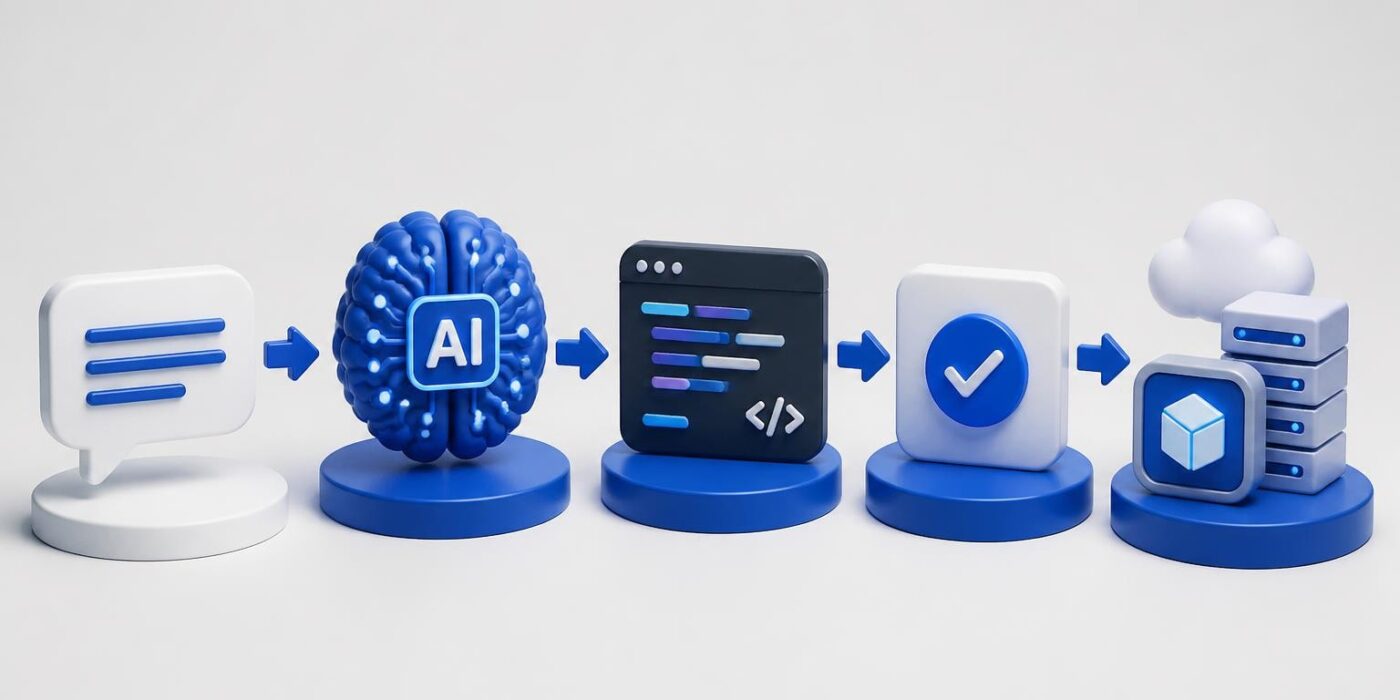
AI for programming has moved from experimental tool to production infrastructure. Developers now integrate AI-powered code generation, debugging assistance, and automated testing into daily workflows. Understanding how to leverage these capabilities separates teams that ship faster from those still writing boilerplate manually. This article covers practical implementation strategies, real API integrations, and workflow patterns that turn AI assistants into reliable development tools.
Code Generation with LLM APIs
The core capability of ai for programming is translating natural language into executable code. Modern LLMs like GPT-4, Claude, and specialized models process context from your codebase and generate functions, classes, or entire modules. This isn't autocomplete. It's architectural pattern recognition applied to your specific requirements.
Setting Up Code Generation Endpoints
Start with a simple API integration that sends code context and instructions to an LLM. Here's a production-ready pattern:
import openai

def generate_function(prompt, context_files):
    context = "n".join([f.read() for f in context_files])

    response = openai.ChatCompletion.create(
        model="gpt-4",
        messages=[
            {"role": "system", "content": "You are a code generator. Return only valid Python code."},
            {"role": "user", "content": f"Context:n{context}nnTask:n{prompt}"}
        ],
        temperature=0.2
    )

    return response.choices[0].message.content
Temperature matters. Lower values (0.1-0.3) produce deterministic, conservative code. Higher values (0.7-0.9) generate creative solutions but introduce variability. For production code generation, stay below 0.3.

Prompt Engineering for Code Quality
Generic prompts produce generic code. Specific instructions with constraints, examples, and error handling requirements yield production-ready outputs. Structure your prompts with:
- Function signature with type hints
- Expected input/output examples
- Error handling requirements
- Performance constraints or complexity limits
- Dependency restrictions (stdlib only, specific frameworks)
Example prompt structure:
Write a Python function that processes user input:

Signature: def validate_email(email: str) -> tuple[bool, str]
Returns: (is_valid, error_message)

Requirements:
- Use regex for validation
- Check for common typos (.con, gmial.com)
- Return specific error messages
- No external dependencies
- O(n) complexity maximum
IBM's research on AI-powered coding tools shows that structured prompts improve code quality by 40% compared to conversational requests. Developers who treat LLMs like precise compilers get better results than those using vague natural language.
Testing and Validation Automation
AI for programming extends beyond generation into validation. Automated test writing, edge case discovery, and security analysis reduce manual QA overhead. This shifts developers from writing tests to reviewing AI-generated test suites.
Generating Test Coverage
LLMs excel at creating comprehensive test cases because they recognize patterns across millions of code examples. Feed your function and get pytest suites:
def generate_tests(function_code, coverage_target=90):
    prompt = f"""
Generate pytest test cases for this function:

{function_code}

Requirements:
- {coverage_target}% code coverage minimum
- Test happy path, edge cases, error conditions
- Use pytest fixtures appropriately
- Include parametrize for multiple inputs
"""

    tests = call_llm(prompt)
    return tests
This approach works for unit tests, integration tests, and even property-based testing with Hypothesis. The key is specifying coverage requirements and test framework conventions in your prompt.
| Test Type | AI Strength | Human Review Needed |
|---|---|---|
| Unit tests | High – Pattern matching | Low – Logic verification |
| Integration | Medium – Context required | High – System understanding |
| Edge cases | High – Broader coverage | Medium – Domain knowledge |
| Security | Medium – Known vulnerabilities | High – Novel attack vectors |
Static Analysis Integration
Combine AI code generation with traditional static analysis tools. Run generated code through linters, type checkers, and security scanners before review:
import subprocess

def validate_generated_code(code):
    # Write to temp file
    with open('temp_gen.py', 'w') as f:
        f.write(code)

    # Run validation pipeline
    checks = [
        ('pylint', ['pylint', 'temp_gen.py']),
        ('mypy', ['mypy', 'temp_gen.py']),
        ('bandit', ['bandit', 'temp_gen.py'])
    ]

    results = {}
    for name, cmd in checks:
        result = subprocess.run(cmd, capture_output=True)
        results[name] = result.returncode == 0

    return all(results.values()), results
This creates a safety net where AI generates code and traditional tools verify it meets your standards.
Debugging and Error Resolution
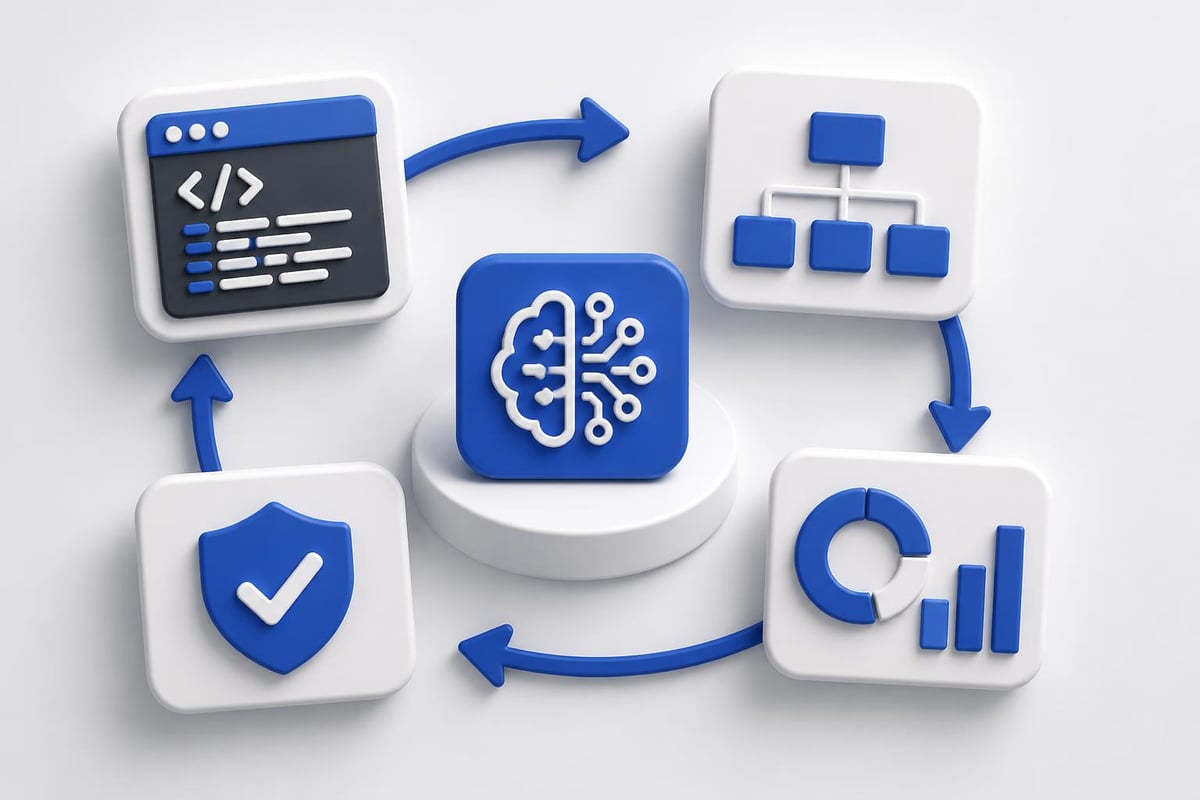
AI assistants transform debugging from stack trace archaeology into interactive problem solving. Modern tools analyze errors, suggest fixes, and explain root causes. The difference between basic AI use and expert integration is workflow design.
Context-Aware Error Analysis
When exceptions occur, capture full context and send it to an LLM with specific debugging instructions:
def debug_with_ai(error, stack_trace, relevant_code):
    prompt = f"""
Debug this error:

Error: {error}
Stack trace:
{stack_trace}

Relevant code:
{relevant_code}

Provide:
1. Root cause analysis
2. Specific fix (code patch)
3. Prevention strategy
"""

    analysis = call_llm(prompt)
    return parse_debug_response(analysis)
The vibe coding approach popularized by developers using tools like Cursor demonstrates how natural language debugging accelerates problem resolution. Nvidia reported tripling code output after integrating specialized AI coding assistants into their engineering workflow.
Automated Fix Application
Move beyond suggestions to automated fixes with validation:
- Parse LLM output for code patches
- Apply changes to a test branch
- Run test suite automatically
- Validate behavior matches expectations
- Create PR for human review
This pipeline reduces debugging time while maintaining code quality standards through automated verification.
Refactoring and Code Modernization
Legacy codebases represent massive technical debt. AI for programming accelerates modernization by automating pattern recognition and transformation. Upgrading deprecated APIs, improving performance, or migrating frameworks becomes systematic rather than manual.
Pattern-Based Refactoring
Identify code smells and apply transformations at scale:
def refactor_codebase(file_paths, refactoring_rules):
    results = []

    for path in file_paths:
        with open(path) as f:
            original_code = f.read()

        prompt = f"""
Refactor this code following these rules:
{refactoring_rules}

Original code:
{original_code}

Return only the refactored code.
"""

        refactored = call_llm(prompt)
        results.append({
            'file': path,
            'original': original_code,
            'refactored': refactored
        })

    return results
Specify rules like "convert callbacks to async/await" or "replace deprecated library X with Y" and process entire directories. The AI recognizes patterns and applies consistent transformations.
Developers building production AI features need structured learning paths. The AI Developer Certification (Mammoth Club) teaches integration patterns through hands-on projects covering OpenAI, Claude, and modern AI APIs with focus on shipping real applications.

Dependency Updates and API Migrations
Automated migration between library versions:
def migrate_api(code, old_lib, new_lib, migration_guide):
    prompt = f"""
Migrate this code from {old_lib} to {new_lib}:

Migration guide:
{migration_guide}

Code:
{code}

Return updated code with:
- New import statements
- Updated API calls
- Equivalent functionality
- Comments explaining changes
"""

    return call_llm(prompt)
Provide the migration guide (from library docs or your own knowledge) and let the AI handle mechanical transformations. Review focuses on logic correctness rather than syntax updates.
Documentation Generation
Code documentation is high-value, low-complexity work where AI for programming delivers immediate ROI. Generating docstrings, README files, and API documentation from code reduces manual effort while improving consistency.
Automated Docstring Creation
Process entire modules and generate comprehensive documentation:
import ast

def generate_docstrings(source_code):
    tree = ast.parse(source_code)
    functions = [node for node in ast.walk(tree) if isinstance(node, ast.FunctionDef)]

    documented_code = source_code

    for func in functions:
        func_code = ast.get_source_segment(source_code, func)

        prompt = f"""
Write a Google-style docstring for this function:

{func_code}

Include:
- Brief description
- Args with types
- Returns with type
- Raises (if applicable)
- Example usage
"""

        docstring = call_llm(prompt)
        # Insert docstring into code
        documented_code = insert_docstring(documented_code, func, docstring)

    return documented_code
IBM's guide to AI code generation emphasizes how natural language understanding makes LLMs particularly effective at documentation tasks compared to traditional static analysis tools.
API Documentation Automation
Generate OpenAPI specs from route handlers:
| Input | Output | Automation Benefit |
|---|---|---|
| Flask routes | OpenAPI 3.0 spec | 100% coverage |
| FastAPI endpoints | Interactive docs | Real-time sync |
| Function signatures | Markdown docs | Version controlled |
This ensures documentation stays synchronized with code changes because it's generated from the source of truth.

Integration Patterns and Workflow Design
Effective ai for programming requires thoughtful integration into existing development workflows. Tools should augment decision-making, not replace it. The goal is faster iteration with maintained quality standards.
IDE Integration Strategies
Three primary integration approaches:
Direct API calls from scripts or CLI tools give maximum control but require custom implementation. Build wrappers around LLM APIs that understand your codebase structure, coding standards, and workflow requirements.
Editor extensions like Copilot, Cursor, or Continue provide inline suggestions during development. These work best for exploratory coding and rapid prototyping where context switching is minimal.
CI/CD pipeline integration automates code review, test generation, and documentation updates. This catches issues before human review and maintains consistency across team contributions.
The CodeNet dataset used to train coding models contains 14 million code samples across 55 languages, demonstrating why modern AI tools understand diverse codebases and can suggest context-appropriate solutions.
Code Review Automation
Augment pull request reviews with AI analysis:
def ai_code_review(pr_diff):
    prompt = f"""
Review this code change:

{pr_diff}

Check for:
- Logic errors
- Security vulnerabilities
- Performance issues
- Style violations
- Missing error handling

Format: [SEVERITY] Location: Issue - Suggestion
"""

    issues = call_llm(prompt)
    return parse_review_comments(issues)
Post comments directly to PRs or aggregate into a review summary. This catches common issues before human reviewers spend time on basic problems.
Performance Optimization
AI for programming identifies performance bottlenecks and suggests optimizations based on algorithmic analysis. Unlike profilers that show where time is spent, LLMs understand why and propose alternatives.
Algorithmic Improvements
Analyze functions for complexity issues:
def optimize_algorithm(function_code, performance_target):
    prompt = f"""
Analyze this function for performance optimization:

{function_code}

Target: {performance_target}

Provide:
1. Current complexity analysis
2. Bottleneck identification
3. Optimized implementation
4. Complexity comparison
5. Trade-offs (memory, readability)
"""

    optimization = call_llm(prompt)
    return optimization
The AI recognizes patterns like nested loops that could be replaced with hash maps or recursive calls that should be memoized. Research on AI programming assistants shows these tools excel at suggesting algorithmic improvements that humans might overlook during initial implementation.
Database Query Optimization
Apply AI to SQL and ORM query analysis:
- N+1 query detection and fix suggestions
- Index recommendations based on query patterns
- Query rewriting for better execution plans
- Caching strategy proposals
This works particularly well because LLMs trained on massive code repositories have seen thousands of optimization patterns across different database systems.
Security and Vulnerability Detection
AI tools identify security issues by recognizing patterns from known vulnerabilities. Integration with security scanners creates defense in depth where AI catches novel issues and traditional tools verify against CVE databases.
Automated Security Analysis
Scan code for common vulnerabilities:
def security_scan(code):
    prompt = f"""
Analyze this code for security vulnerabilities:

{code}

Check for:
- SQL injection risks
- XSS vulnerabilities
- Insecure deserialization
- Hardcoded secrets
- Unsafe file operations

Format: SEVERITY | Line | Vulnerability | Fix
"""

    vulnerabilities = call_llm(prompt)
    return parse_security_report(vulnerabilities)
Evaluations of AI programming assistants including ChatGPT, Gemini, and GitHub Copilot demonstrate varying effectiveness across security tasks, with prompt engineering significantly impacting detection accuracy.
Secret Detection and Rotation
Beyond pattern matching for API keys, AI can:
- Identify secret usage patterns requiring rotation
- Suggest secure alternatives like environment variables or secret managers
- Generate migration code to update secret handling
- Audit access patterns for over-privileged credentials
This proactive approach prevents secrets from entering codebases rather than detecting them after commit.
Model Selection and Cost Optimization
Different AI models offer varying capabilities and costs. Optimizing model selection based on task requirements reduces API expenses while maintaining output quality.
| Model | Best For | Cost | Speed | Code Quality |
|---|---|---|---|---|
| GPT-4 | Complex refactoring | High | Slow | Excellent |
| GPT-3.5 | Simple generation | Low | Fast | Good |
| Claude | Long context tasks | Medium | Medium | Excellent |
| Code-specific | Autocomplete | Very low | Very fast | Good |
Use cheaper models for straightforward tasks like docstring generation and reserve expensive models for architectural decisions or complex debugging.
Caching and Response Reuse
Implement caching for repeated queries:
import hashlib
import json
from functools import lru_cache

@lru_cache(maxsize=1000)
def cached_llm_call(prompt_hash):
    # Actual LLM API call
    return call_llm_api(prompt_hash)

def smart_generate(prompt):
    # Hash prompt for cache key
    prompt_hash = hashlib.sha256(prompt.encode()).hexdigest()

    # Check cache first
    cached = get_from_cache(prompt_hash)
    if cached:
        return cached

    # Generate and cache
    result = cached_llm_call(prompt_hash)
    save_to_cache(prompt_hash, result)
    return result
This prevents duplicate API calls for identical requests, significantly reducing costs for repetitive tasks like test generation across similar functions.
Training and Fine-Tuning Considerations
While pre-trained models handle most coding tasks, fine-tuning on your codebase improves context awareness and style consistency. This matters for large teams with established patterns or proprietary frameworks.
Recent work showing GPT-5 learning programming languages autonomously demonstrates AI's ability to understand new syntaxes and idioms, but fine-tuning accelerates this process for domain-specific code.
When to Fine-Tune
Consider fine-tuning when:
- Internal frameworks lack public documentation
- Code style differs significantly from open source norms
- Domain knowledge (finance, healthcare, embedded) is specialized
- API cost justifies upfront training investment
- Quality improvements matter more than development speed
Fine-tuning requires collecting training data from your codebase, preparing examples, and managing the training pipeline. For most teams, prompt engineering delivers better ROI.
Real-World Integration Examples
Practical implementations demonstrate how ai for programming fits into production workflows. These examples show complete integration patterns rather than isolated API calls.
Automated PR Description Generator
def generate_pr_description(diff, branch_name):
    prompt = f"""
Generate a pull request description from this diff:

Branch: {branch_name}
Changes:
{diff}

Include:
## Summary
[Brief overview]

## Changes
- [Bulleted list]

## Testing
[How to test]

## Related Issues
[If applicable]
"""

    return call_llm(prompt)
This reduces PR creation time and ensures consistent formatting across team contributions. For insights on practical AI coding applications, explore tutorial resources that demonstrate real implementations.
Codebase Q&A System
Build a retrieval system that answers questions about your codebase:
- Index codebase with embeddings
- Semantic search for relevant files
- Context injection into LLM prompts
- Answer generation with citations
This accelerates onboarding and helps developers navigate unfamiliar code sections without manual exploration.
Emerging Capabilities and Future Patterns
AI for programming continues evolving rapidly. Understanding emerging capabilities helps teams prepare infrastructure and workflows for new possibilities.
Multi-File Refactoring
Current tools excel at single-file operations. Emerging capabilities include:
- Cross-file dependency analysis for safe refactoring
- Automated migration across entire codebases
- Architecture redesign suggestions based on usage patterns
- Module extraction for improving code organization
These require sophisticated context management but promise to automate large-scale codebase improvements.
Natural Language to Application
The rise of AI-generated software through "vibe coding" demonstrates increasing capability gaps, but also highlights debugging challenges and security concerns. Production use requires validation layers and human oversight.
Complete application generation from descriptions remains experimental but shows promise for prototyping and proof-of-concept development. Production deployments still require traditional development rigor.
AI for programming transforms how developers write, test, and maintain code by automating repetitive tasks while maintaining quality standards through validation workflows. The key is treating AI as a tool that augments decision-making rather than replacing it, focusing integration efforts on high-value automation opportunities. AI Code Central provides practical tutorials and real-world projects that teach developers how to build production-ready AI integrations, from prompt engineering to backend workflows, helping teams ship faster and stay competitive in modern development.