
Artificial intelligence based projects have moved from research labs to production environments, transforming how developers build and ship software. The focus has shifted from theoretical implementations to practical applications that solve real business problems. Modern AI projects leverage APIs, pre-trained models, and integration frameworks that make it faster to deploy intelligent features. This guide covers the essential components, implementation patterns, and real-world examples that help you build AI-powered applications that actually work.
Understanding Modern AI Project Architecture
Building artificial intelligence based projects in 2026 requires a different approach than traditional software development. You're not training models from scratch or managing complex infrastructure. Instead, you're integrating API-based AI services, managing prompts, handling context windows, and building workflows that connect AI capabilities to your application logic.
The typical architecture includes three core layers:
- API Integration Layer: Connects to OpenAI, Anthropic, or other AI providers
- Business Logic Layer: Handles prompt construction, response parsing, and error handling
- Data Management Layer: Manages context, user history, and application state
Most artificial intelligence based projects start with a clear use case. Document generation, content analysis, conversational interfaces, or automated decision-making. Each requires different prompt strategies and integration patterns.
Core Components You'll Actually Use
Every production AI project needs specific technical components. Authentication middleware for API keys, rate limiting logic, response caching strategies, and error handling that accounts for API failures or unexpected outputs. These aren't optional. They determine whether your project works reliably or fails under real usage.
Token management is critical. You need to track token usage per request, estimate costs before execution, and implement fallback strategies when context windows fill up. This affects both performance and budget.
Building Your First Production AI Feature
Start with a single, well-defined feature. Adding AI summarization to existing content, generating structured data from unstructured input, or automating repetitive analysis tasks. The narrower your scope, the faster you'll ship something useful.

Here's a practical implementation pattern for a document analysis feature:
import openai
import json
from typing import Dict, Optional

class DocumentAnalyzer:
    def __init__(self, api_key: str, model: str = "gpt-4"):
        self.client = openai.OpenAI(api_key=api_key)
        self.model = model

    def analyze_document(self, content: str, analysis_type: str) -> Dict:
        system_prompt = self._build_system_prompt(analysis_type)

        try:
            response = self.client.chat.completions.create(
                model=self.model,
                messages=[
                    {"role": "system", "content": system_prompt},
                    {"role": "user", "content": content}
                ],
                temperature=0.3,
                max_tokens=1000
            )

            return self._parse_response(response)

        except openai.APIError as e:
            return {"error": f"API error: {str(e)}", "status": "failed"}

    def _build_system_prompt(self, analysis_type: str) -> str:
        prompts = {
            "summary": "Extract key points and create a concise summary.",
            "sentiment": "Analyze sentiment and return JSON with score and reasoning.",
            "entities": "Extract named entities and categorize them."
        }
        return prompts.get(analysis_type, prompts["summary"])

    def _parse_response(self, response) -> Dict:
        content = response.choices[0].message.content
        return {
            "result": content,
            "tokens_used": response.usage.total_tokens,
            "status": "success"
        }
This pattern handles authentication, request construction, and basic error management. You can extend it with caching, retry logic, and response validation based on your needs.
Managing Prompts Like Code
Treat prompts as version-controlled assets, not hardcoded strings. Store them in configuration files, track changes in Git, and test them systematically. Prompt drift causes bugs just like code changes do.
Create a prompt library structure:
prompts/
  ├── system/
  │   ├── document_analysis.txt
  │   └── code_review.txt
  ├── user/
  │   └── templates.json
  └── versions/
      └── changelog.md
Load prompts dynamically and version them. When you improve a prompt, you need to know what changed and when. This matters for debugging production issues and maintaining consistent behavior.
Real-World AI Project Categories
Artificial intelligence based projects fall into distinct categories, each with specific implementation patterns and common challenges. Understanding these categories helps you choose the right tools and avoid unnecessary complexity.
| Project Category | Primary Use Case | Key Integration Points | Common Challenges |
|---|---|---|---|
| Content Generation | Blog posts, product descriptions, marketing copy | CMS, scheduling systems | Quality control, brand consistency |
| Data Analysis | Pattern detection, anomaly finding, trend analysis | Databases, analytics platforms | Context limitations, accuracy validation |
| Conversational | Customer support, internal tools, assistants | Chat platforms, ticketing systems | Context management, conversation flow |
| Automation | Workflow automation, decision routing, triage | Business process tools, CRMs | Reliability, edge case handling |
Each category requires different prompt engineering approaches and validation strategies. Content generation needs output formatting and style consistency. Data analysis requires structured responses and confidence scoring. Conversational projects demand context window management and multi-turn dialogue handling.
Real-world AI applications span healthcare diagnostics, financial analysis, supply chain optimization, and customer service automation. These implementations share common patterns you can adapt for your projects.
Content Generation Projects
Document automation represents one of the most straightforward artificial intelligence based projects. You provide structured input, receive formatted output, and validate against business rules. The workflow is predictable and testable.
Example use cases include:
- API documentation generation: Parse code comments and function signatures, generate markdown documentation
- Product description creation: Input product specs, output SEO-optimized descriptions in multiple formats
- Report compilation: Aggregate data points, create executive summaries with key insights
Implementation requires clear input schemas, output templates, and validation rules. Don't generate content blindly. Validate against your style guide, check for factual accuracy where possible, and implement human review workflows for high-stakes content.
Conversational Interface Implementation
Building chatbots or conversational tools involves managing state across multiple turns. You need conversation history storage, context pruning strategies, and intent detection logic.
class ConversationManager:
    def __init__(self, max_context_messages: int = 10):
        self.conversations = {}
        self.max_context = max_context_messages

    def add_message(self, session_id: str, role: str, content: str):
        if session_id not in self.conversations:
            self.conversations[session_id] = []

        self.conversations[session_id].append({
            "role": role,
            "content": content
        })

        # Prune old messages to stay within context limits
        if len(self.conversations[session_id]) > self.max_context:
            self.conversations[session_id] = self.conversations[session_id][-self.max_context:]

    def get_context(self, session_id: str) -> list:
        return self.conversations.get(session_id, [])

    def clear_session(self, session_id: str):
        if session_id in self.conversations:
            del self.conversations[session_id]
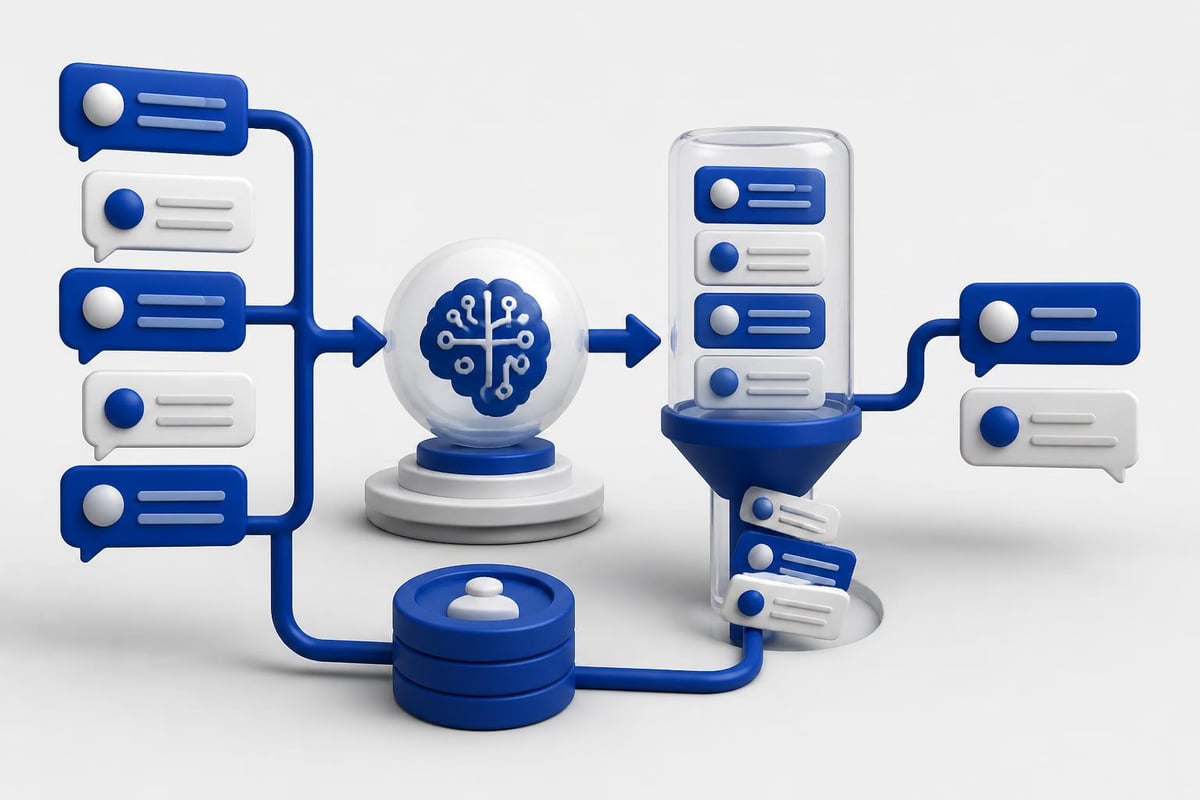
This basic pattern scales to more complex scenarios with database persistence, context summarization, and multi-user support. For developers working through practical tutorials, implementing conversation management is often the first major challenge.
Data Processing and Analysis Projects
Artificial intelligence based projects that process data need different architectures than content generation tools. You're feeding structured or semi-structured data into AI models, extracting insights, and returning formatted results.
Common patterns include:
- Batch processing: Process large datasets asynchronously, store results in databases
- Real-time analysis: Stream data through AI endpoints, return immediate insights
- Scheduled jobs: Run analysis on intervals, generate reports or alerts
For batch processing, implement queue systems that handle rate limits and retries:
import asyncio
from typing import List, Dict
import time

class BatchProcessor:
    def __init__(self, api_client, batch_size: int = 10, delay: float = 1.0):
        self.client = api_client
        self.batch_size = batch_size
        self.delay = delay

    async def process_batch(self, items: List[str]) -> List[Dict]:
        results = []

        for i in range(0, len(items), self.batch_size):
            batch = items[i:i + self.batch_size]
            batch_results = await self._process_chunk(batch)
            results.extend(batch_results)

            # Rate limiting
            if i + self.batch_size < len(items):
                await asyncio.sleep(self.delay)

        return results

    async def _process_chunk(self, chunk: List[str]) -> List[Dict]:
        tasks = [self.client.analyze(item) for item in chunk]
        return await asyncio.gather(*tasks, return_exceptions=True)
This handles rate limiting, batching, and parallel processing. Adjust batch size and delay based on your API tier and rate limits.
Structured Data Extraction
Extracting structured data from unstructured sources (PDFs, emails, images) requires specific prompt engineering. You need to define output schemas, handle parsing errors, and validate extracted data.
Use function calling or JSON mode when available:
completion = client.chat.completions.create(
    model="gpt-4",
    messages=[
        {"role": "system", "content": "Extract invoice data as JSON."},
        {"role": "user", "content": invoice_text}
    ],
    response_format={"type": "json_object"}
)

data = json.loads(completion.choices[0].message.content)
Define Pydantic models for validation:
from pydantic import BaseModel, validator
from typing import Optional
from datetime import date

class InvoiceData(BaseModel):
    invoice_number: str
    date: date
    total_amount: float
    vendor_name: str
    line_items: list

    @validator('total_amount')
    def amount_must_be_positive(cls, v):
        if v <= 0:
            raise ValueError('Amount must be positive')
        return v
This ensures extracted data meets your requirements before it enters your system. AI project examples demonstrate various extraction patterns across different domains.
Deployment and Production Considerations
Shipping artificial intelligence based projects to production requires infrastructure that traditional applications don't need. API cost monitoring, response time tracking, output quality monitoring, and fallback mechanisms when AI services fail.
Cost Management Strategies
AI API costs scale with usage. Without monitoring, bills spiral out of control. Implement cost tracking at the request level:
- Log token usage per request
- Calculate estimated costs in real-time
- Set budget alerts and hard limits
- Cache responses when appropriate
Build a cost calculator:
class CostTracker:
    # Pricing as of 2026 (update based on provider)
    PRICING = {
        "gpt-4": {"input": 0.03, "output": 0.06},  # per 1K tokens
        "gpt-3.5-turbo": {"input": 0.0015, "output": 0.002}
    }

    def calculate_cost(self, model: str, input_tokens: int, output_tokens: int) -> float:
        prices = self.PRICING.get(model, {"input": 0, "output": 0})
        input_cost = (input_tokens / 1000) * prices["input"]
        output_cost = (output_tokens / 1000) * prices["output"]
        return input_cost + output_cost

    def estimate_monthly_cost(self, requests_per_day: int, avg_tokens: int, model: str) -> float:
        daily_cost = requests_per_day * self.calculate_cost(
            model, avg_tokens, avg_tokens
        )
        return daily_cost * 30
For developers who want to build production-ready AI applications with proper cost management and monitoring practices, learning systematic approaches to deployment helps ensure projects stay sustainable. AI Developer Certification (Mammoth Club) teaches practical implementation patterns including production deployment, cost optimization, and quality monitoring that matter when you're shipping real features to users.

Monitoring and Quality Assurance
Production AI systems need continuous monitoring. Track response times, error rates, output quality, and user satisfaction. Build dashboards that surface issues before users complain.
| Metric | What It Measures | Action Threshold | Response Action |
|---|---|---|---|
| Response Time | API latency + processing | > 5 seconds | Implement caching, optimize prompts |
| Error Rate | Failed requests / total | > 2% | Check API status, review error logs |
| Token Usage | Average tokens per request | Unexpected spike | Audit prompt length, check for loops |
| User Feedback | Quality ratings | < 4.0/5.0 | Review outputs, adjust prompts |
Implement structured logging:
import logging
import json
from datetime import datetime

class AILogger:
    def __init__(self, log_file: str):
        self.logger = logging.getLogger('ai_requests')
        handler = logging.FileHandler(log_file)
        handler.setFormatter(logging.Formatter('%(message)s'))
        self.logger.addHandler(handler)
        self.logger.setLevel(logging.INFO)

    def log_request(self, request_data: dict, response_data: dict, duration: float):
        log_entry = {
            "timestamp": datetime.now().isoformat(),
            "model": request_data.get("model"),
            "tokens": response_data.get("tokens_used"),
            "duration_ms": duration * 1000,
            "status": response_data.get("status"),
            "cost": response_data.get("estimated_cost")
        }
        self.logger.info(json.dumps(log_entry))
Parse logs to identify patterns, track costs, and debug issues. Store logs in a queryable format (database, log aggregation service) for analysis.

Advanced Integration Patterns
As artificial intelligence based projects mature, you'll implement more sophisticated patterns. Multi-model workflows, agent-based systems, and hybrid approaches that combine AI with traditional logic.
Multi-Model Workflows
Different AI models excel at different tasks. Use cheaper, faster models for simple classification. Deploy more capable models for complex reasoning. Route requests based on complexity.
class ModelRouter:
    def __init__(self, simple_model: str, advanced_model: str):
        self.simple = simple_model
        self.advanced = advanced_model

    def route_request(self, task: dict) -> str:
        # Analyze task complexity
        complexity_score = self._assess_complexity(task)

        if complexity_score < 0.5:
            return self.simple
        return self.advanced

    def _assess_complexity(self, task: dict) -> float:
        # Simple heuristics: word count, required reasoning steps, etc.
        word_count = len(task.get("content", "").split())
        requires_reasoning = task.get("requires_reasoning", False)

        score = 0.0
        if word_count > 500:
            score += 0.3
        if requires_reasoning:
            score += 0.5

        return min(score, 1.0)
This saves costs without sacrificing quality on complex tasks. Test routing logic with real data to calibrate thresholds.
Building AI Agent Systems
Agent-based artificial intelligence based projects chain multiple AI calls together, allowing models to use tools, retrieve information, and make multi-step decisions. This requires orchestration logic, state management, and error handling at each step.
Basic agent structure:
class AIAgent:
    def __init__(self, client, available_tools: dict):
        self.client = client
        self.tools = available_tools
        self.max_iterations = 5

    def execute_task(self, task: str) -> dict:
        messages = [{"role": "user", "content": task}]

        for iteration in range(self.max_iterations):
            response = self.client.chat.completions.create(
                model="gpt-4",
                messages=messages,
                tools=self._format_tools()
            )

            message = response.choices[0].message

            # Check if task is complete
            if not message.tool_calls:
                return {"result": message.content, "iterations": iteration + 1}

            # Execute tool calls
            for tool_call in message.tool_calls:
                tool_result = self._execute_tool(tool_call)
                messages.append({
                    "role": "tool",
                    "tool_call_id": tool_call.id,
                    "content": json.dumps(tool_result)
                })

        return {"error": "Max iterations reached", "iterations": self.max_iterations}

    def _execute_tool(self, tool_call) -> dict:
        tool_name = tool_call.function.name
        args = json.loads(tool_call.function.arguments)

        if tool_name in self.tools:
            return self.tools[tool_name](**args)

        return {"error": f"Tool {tool_name} not found"}

    def _format_tools(self) -> list:
        # Format tools for API
        return [{"type": "function", "function": spec} for spec in self.tools.values()]
Agents enable complex workflows like research tasks, multi-step data processing, and autonomous decision-making. Documented enterprise AI deployments show how companies implement agent systems at scale.
Testing and Validation Strategies
Testing artificial intelligence based projects differs from traditional software testing. You can't assert exact outputs. Instead, test for output structure, quality metrics, and behavioral consistency.
Automated Testing Approaches
Build test suites that verify:
- Output format matches schema
- Response times stay within acceptable ranges
- Costs stay below thresholds
- Specific keywords or patterns appear in outputs
Example test structure:
import pytest
from your_ai_module import DocumentAnalyzer

@pytest.fixture
def analyzer():
    return DocumentAnalyzer(api_key="test_key")

def test_summary_format(analyzer):
    test_doc = "Long document content here..."
    result = analyzer.analyze_document(test_doc, "summary")

    assert "result" in result
    assert "tokens_used" in result
    assert result["status"] == "success"
    assert len(result["result"]) < len(test_doc)

def test_cost_within_budget(analyzer):
    test_doc = "Document content..."
    result = analyzer.analyze_document(test_doc, "summary")

    estimated_cost = (result["tokens_used"] / 1000) * 0.03
    assert estimated_cost < 0.10  # Budget threshold

def test_handles_api_errors(analyzer, monkeypatch):
    def mock_api_error(*args, **kwargs):
        raise openai.APIError("Service unavailable")

    monkeypatch.setattr(analyzer.client.chat.completions, "create", mock_api_error)

    result = analyzer.analyze_document("test", "summary")
    assert "error" in result
    assert result["status"] == "failed"
Run tests against actual API endpoints in staging environments. Mock responses for unit tests, but validate real integration regularly.
Quality Metrics and Evaluation
Define quality metrics specific to your use case. For summarization, measure compression ratio and key point coverage. For classification, track accuracy and confidence scores. For generation, implement custom scoring rubrics.
Build evaluation datasets:
- Collect representative samples
- Create expected outputs or quality criteria
- Run AI outputs through evaluation
- Track scores over time
Monitor quality drift. When you change prompts, models, or parameters, outputs shift. Catch degradation before users notice.
Security and Compliance Requirements
Artificial intelligence based projects handle sensitive data and generate content that affects users. Implement security controls and compliance measures from the start.
Data Handling Best Practices
- Never log sensitive data: Sanitize inputs before logging, especially PII or confidential information
- Implement access controls: Restrict API key access, use environment variables, rotate keys regularly
- Validate inputs: Prevent prompt injection attacks, sanitize user inputs, enforce length limits
- Audit AI outputs: Review generated content for bias, inappropriate content, or policy violations
Example input sanitization:
import re
from typing import Optional

class InputValidator:
    def __init__(self, max_length: int = 5000):
        self.max_length = max_length
        self.dangerous_patterns = [
            r"ignore previous instructions",
            r"disregard all prior",
            r"new instructions:"
        ]

    def sanitize_input(self, text: str) -> Optional[str]:
        # Check length
        if len(text) > self.max_length:
            return None

        # Check for injection attempts
        text_lower = text.lower()
        for pattern in self.dangerous_patterns:
            if re.search(pattern, text_lower):
                return None

        # Remove excessive whitespace
        return " ".join(text.split())
Compliance varies by industry. Healthcare projects need HIPAA compliance. Financial services require SOC 2. Research your requirements early.
Scaling Considerations
As usage grows, artificial intelligence based projects need scaling strategies. Horizontal scaling, caching layers, and optimization techniques that reduce costs while maintaining quality.
Implement multi-tier caching:
- Response caching: Store identical request results
- Embedding caching: Reuse vector representations
- Partial result caching: Cache intermediate steps in multi-stage processes
import hashlib
import json
from typing import Optional

class ResponseCache:
    def __init__(self, ttl_seconds: int = 3600):
        self.cache = {}
        self.ttl = ttl_seconds

    def get_cache_key(self, request_data: dict) -> str:
        normalized = json.dumps(request_data, sort_keys=True)
        return hashlib.sha256(normalized.encode()).hexdigest()

    def get(self, request_data: dict) -> Optional[dict]:
        key = self.get_cache_key(request_data)
        return self.cache.get(key)

    def set(self, request_data: dict, response: dict):
        key = self.get_cache_key(request_data)
        self.cache[key] = response
Production systems need Redis or similar distributed caches. This basic pattern demonstrates the concept.
Industry examples show how companies scale AI implementations from prototypes to millions of requests. Common patterns include queue-based processing, response streaming for long operations, and tiered service levels based on request priority.
Building artificial intelligence based projects requires practical implementation skills, systematic testing, and production-ready deployment strategies. The focus remains on shipping features that solve real problems using modern AI APIs and integration patterns. AI Code Central provides step-by-step tutorials, real-world project examples, and code-first guidance that helps developers integrate AI capabilities into production applications, manage costs effectively, and build sustainable AI-powered features that scale.