
Building AI applications requires more than just calling an API. A structured project ai approach helps developers move from proof of concept to production-ready systems. This means understanding model selection, API integration patterns, error handling, cost optimization, and deployment workflows. The difference between a demo and a shipped product comes down to treating AI as a component in a larger system, not as a standalone solution. This article walks through practical implementation steps, real code patterns, and architectural decisions that matter when you're building applications that users depend on.
Understanding Project AI Architecture
Project ai implementations start with architectural decisions. You need to decide where AI processing happens, how you manage state, and what your fallback strategies look like when models fail or timeout.
Most production AI systems use a microservices approach. Your AI logic sits behind an API endpoint, separate from your frontend and database layers. This separation lets you swap models, adjust prompts, and scale inference independently from the rest of your application.

Core Components
Every project ai needs these fundamental pieces:
- Model provider integration – OpenAI, Anthropic, or open-source models via API
- Prompt management system – Version control for prompts, not hardcoded strings
- Request queuing – Handle rate limits and concurrent requests
- Response parsing – Extract structured data from model outputs
- Error handling – Retry logic, timeouts, fallbacks
- Cost tracking – Monitor token usage per request
- Caching layer – Reduce redundant API calls
The architecture you choose depends on scale. A side project might use direct API calls with basic error handling. A production system serving thousands of users needs queue management, distributed caching, and sophisticated retry logic.
Setting Up Your First Project AI
Start with a simple use case. Document classification works well for learning the patterns. You'll send text to an AI model and get back structured categories.
Create a new Node.js project and install the OpenAI SDK:
npm init -y
npm install openai dotenv
Set up your environment variables in .env:
OPENAI_API_KEY=your_key_here
Build a basic classification service:
import OpenAI from 'openai';
import dotenv from 'dotenv';

dotenv.config();

const client = new OpenAI({
  apiKey: process.env.OPENAI_API_KEY,
});

async function classifyDocument(text) {
  const prompt = `Classify this document into one of these categories: technical, business, marketing, support.

Document: ${text}

Return only the category name.`;

  try {
    const response = await client.chat.completions.create({
      model: 'gpt-4',
      messages: [
        { role: 'system', content: 'You are a document classifier.' },
        { role: 'user', content: prompt }
      ],
      temperature: 0.1,
      max_tokens: 10,
    });

    return response.choices[0].message.content.trim().toLowerCase();
  } catch (error) {
    console.error('Classification failed:', error.message);
    return 'unknown';
  }
}

const testDoc = "Our Q4 revenue exceeded projections by 15% due to strong enterprise adoption.";
const category = await classifyDocument(testDoc);
console.log(`Category: ${category}`);
This pattern forms the foundation of project ai implementations. You define your task, construct a prompt, call the model, and handle the response.
Improving Reliability
Production systems need better error handling. Add retry logic with exponential backoff:
async function classifyWithRetry(text, maxRetries = 3) {
  for (let attempt = 0; attempt < maxRetries; attempt++) {
    try {
      return await classifyDocument(text);
    } catch (error) {
      if (attempt === maxRetries - 1) throw error;

      const delay = Math.pow(2, attempt) * 1000;
      console.log(`Retry ${attempt + 1} after ${delay}ms`);
      await new Promise(resolve => setTimeout(resolve, delay));
    }
  }
}
This handles temporary API failures without crashing your application.
Managing Prompts as Code
Hardcoded prompts create maintenance problems. When you need to update prompt language, you're searching through source files instead of managing versioned templates.
Create a prompt management system:
const prompts = {
  documentClassifier: {
    version: '1.0',
    system: 'You are a document classifier that assigns documents to predefined categories.',
    user: (text, categories) => `Classify this document into exactly one category: ${categories.join(', ')}.

Document: ${text}

Return only the category name, nothing else.`,
  },
};

async function classifyWithTemplate(text, categories) {
  const template = prompts.documentClassifier;

  const response = await client.chat.completions.create({
    model: 'gpt-4',
    messages: [
      { role: 'system', content: template.system },
      { role: 'user', content: template.user(text, categories) }
    ],
    temperature: 0.1,
  });

  return response.choices[0].message.content.trim().toLowerCase();
}
Store prompts in a separate file or database. Version them. Track which version produced which results. This makes debugging easier when model behavior changes.
Implementing Cost Controls
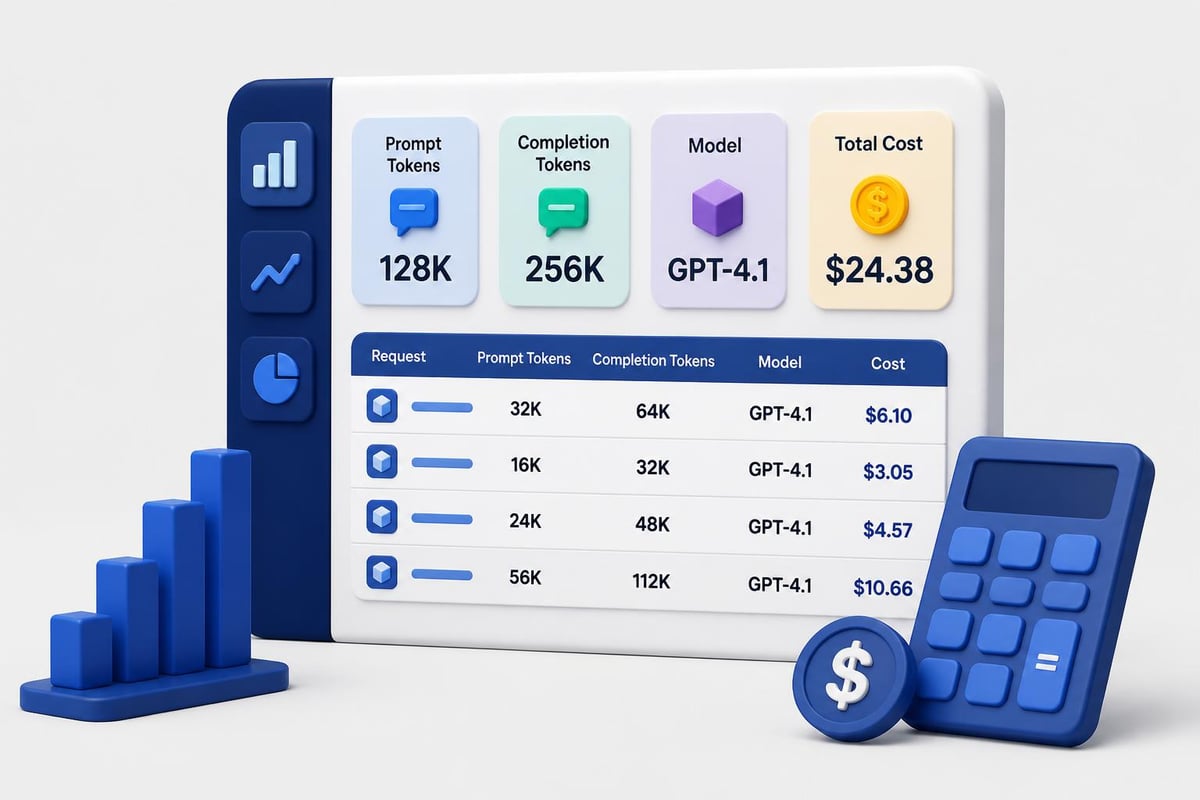
AI API costs scale with usage. A project ai without cost controls can drain your budget quickly.
Track token usage per request:
async function classifyWithMetrics(text) {
  const startTime = Date.now();

  const response = await client.chat.completions.create({
    model: 'gpt-4',
    messages: [
      { role: 'system', content: prompts.documentClassifier.system },
      { role: 'user', content: prompts.documentClassifier.user(text, ['technical', 'business', 'marketing']) }
    ],
    temperature: 0.1,
  });

  const metrics = {
    duration: Date.now() - startTime,
    promptTokens: response.usage.prompt_tokens,
    completionTokens: response.usage.completion_tokens,
    totalTokens: response.usage.total_tokens,
    model: response.model,
  };

  console.log('Request metrics:', metrics);

  return {
    category: response.choices[0].message.content.trim(),
    metrics,
  };
}
Set up rate limiting to prevent runaway costs:
class RateLimiter {
  constructor(maxRequestsPerMinute) {
    this.max = maxRequestsPerMinute;
    this.requests = [];
  }

  async acquire() {
    const now = Date.now();
    this.requests = this.requests.filter(t => now - t < 60000);

    if (this.requests.length >= this.max) {
      const oldestRequest = this.requests[0];
      const waitTime = 60000 - (now - oldestRequest);
      await new Promise(resolve => setTimeout(resolve, waitTime));
    }

    this.requests.push(Date.now());
  }
}

const limiter = new RateLimiter(50);

async function classifyWithLimit(text) {
  await limiter.acquire();
  return await classifyDocument(text);
}
Building Production Workflows
Moving from prototype to production means handling edge cases, scaling requests, and maintaining uptime. A production project ai needs queue management when you're processing hundreds of documents per minute.
Use a job queue for background processing:
import { Queue, Worker } from 'bullmq';

const documentQueue = new Queue('documents', {
  connection: {
    host: 'localhost',
    port: 6379,
  },
});

async function queueDocument(documentId, text) {
  await documentQueue.add('classify', {
    documentId,
    text,
    timestamp: new Date().toISOString(),
  });
}

const worker = new Worker('documents', async job => {
  const { documentId, text } = job.data;

  const result = await classifyWithRetry(text);

  await saveClassification(documentId, result);

  return { documentId, category: result };
}, {
  connection: {
    host: 'localhost',
    port: 6379,
  },
  concurrency: 5,
});

worker.on('completed', job => {
  console.log(`Job ${job.id} completed`);
});

worker.on('failed', (job, err) => {
  console.error(`Job ${job.id} failed:`, err.message);
});
This pattern separates request intake from processing. Your API returns immediately while classification happens in the background.
Caching Strategies
Reduce costs by caching identical requests:
import NodeCache from 'node-cache';

const cache = new NodeCache({ stdTTL: 3600 });

async function classifyWithCache(text) {
  const cacheKey = `classify:${Buffer.from(text).toString('base64')}`;

  const cached = cache.get(cacheKey);
  if (cached) {
    console.log('Cache hit');
    return cached;
  }

  const result = await classifyDocument(text);
  cache.set(cacheKey, result);

  return result;
}
For similar documents, use semantic caching with embeddings. Generate an embedding for the input text, check if a similar embedding exists in your cache, and return the cached result if the similarity exceeds your threshold.
Integration Patterns
Real applications need AI integrated into existing workflows. Here's how to add project ai capabilities to a REST API.
Create an Express endpoint:
import express from 'express';

const app = express();
app.use(express.json());

app.post('/api/classify', async (req, res) => {
  const { text, categories } = req.body;

  if (!text) {
    return res.status(400).json({ error: 'Text is required' });
  }

  try {
    const result = await classifyWithTemplate(text, categories || ['technical', 'business', 'marketing', 'support']);

    res.json({
      category: result,
      timestamp: new Date().toISOString(),
    });
  } catch (error) {
    console.error('Classification error:', error);
    res.status(500).json({ error: 'Classification failed' });
  }
});

app.listen(3000, () => {
  console.log('Classification API running on port 3000');
});
Add authentication to prevent abuse:
function requireApiKey(req, res, next) {
  const apiKey = req.headers['x-api-key'];

  if (!apiKey || apiKey !== process.env.API_KEY) {
    return res.status(401).json({ error: 'Invalid API key' });
  }

  next();
}

app.post('/api/classify', requireApiKey, async (req, res) => {
  // Classification logic
});
If you're building AI features that need structured output, implementing proper validation and error handling becomes critical. Learn more about building production-ready AI systems through hands-on projects that cover these patterns in depth.

Structured Output Handling
Getting consistent, parseable responses from AI models requires structured output formats. Use JSON mode with schema validation.
Define your output schema:
const classificationSchema = {
  type: 'object',
  properties: {
    category: {
      type: 'string',
      enum: ['technical', 'business', 'marketing', 'support']
    },
    confidence: {
      type: 'number',
      minimum: 0,
      maximum: 1
    },
    reasoning: {
      type: 'string'
    }
  },
  required: ['category', 'confidence']
};

async function classifyStructured(text) {
  const response = await client.chat.completions.create({
    model: 'gpt-4',
    messages: [
      {
        role: 'system',
        content: 'You are a document classifier. Return results as JSON matching the schema.'
      },
      {
        role: 'user',
        content: `Classify this document and explain your reasoning: ${text}`
      }
    ],
    response_format: { type: 'json_object' },
  });

  const result = JSON.parse(response.choices[0].message.content);
  return result;
}
Validate the response against your schema using a library like Ajv:
import Ajv from 'ajv';

const ajv = new Ajv();
const validate = ajv.compile(classificationSchema);

async function classifyWithValidation(text) {
  const result = await classifyStructured(text);

  if (!validate(result)) {
    console.error('Validation errors:', validate.errors);
    throw new Error('Invalid response format');
  }

  return result;
}
This ensures your application receives data in the expected format, preventing runtime errors from malformed responses.
Monitoring and Debugging
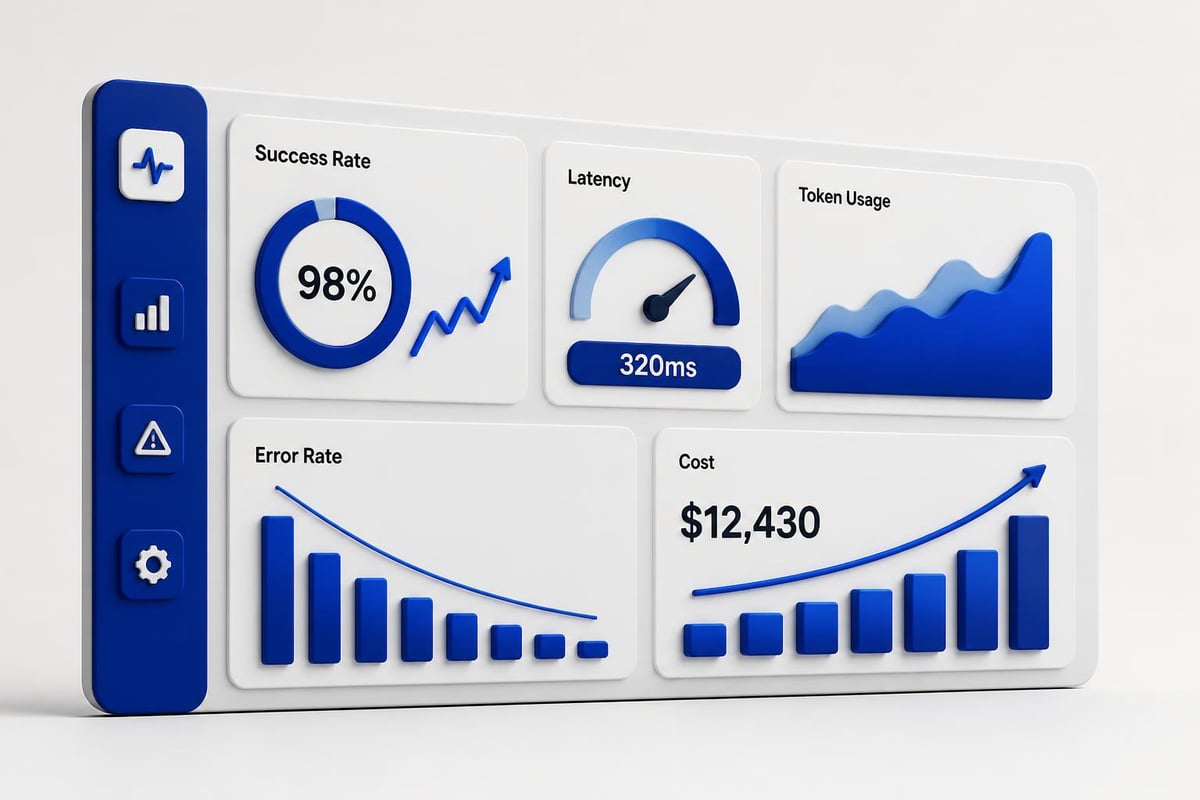
Production project ai systems need observability. Track success rates, latency, and error patterns.
| Metric | What to Track | Alert Threshold |
|---|---|---|
| Success Rate | Percentage of successful completions | < 95% |
| Average Latency | Mean response time | > 5 seconds |
| Token Usage | Tokens per request | > 2000 |
| Error Rate | Failed requests per minute | > 5 |
| Cost | Spend per day | Custom limit |
Implement structured logging:
import winston from 'winston';

const logger = winston.createLogger({
  level: 'info',
  format: winston.format.json(),
  transports: [
    new winston.transports.File({ filename: 'error.log', level: 'error' }),
    new winston.transports.File({ filename: 'combined.log' }),
  ],
});

async function classifyWithLogging(text) {
  const requestId = crypto.randomUUID();

  logger.info('Classification started', {
    requestId,
    textLength: text.length,
  });

  try {
    const result = await classifyDocument(text);

    logger.info('Classification completed', {
      requestId,
      category: result,
    });

    return result;
  } catch (error) {
    logger.error('Classification failed', {
      requestId,
      error: error.message,
      stack: error.stack,
    });
    throw error;
  }
}
Set up alerts for anomalies. If your average token usage suddenly doubles, investigate whether prompts changed or if users are submitting different input types.
Advanced Model Selection
Different tasks need different models. Classification works fine with GPT-3.5. Complex reasoning needs GPT-4. Summarization might work better with Claude.
| Model | Best For | Cost | Speed |
|---|---|---|---|
| GPT-3.5 Turbo | Classification, simple extraction | Low | Fast |
| GPT-4 | Complex reasoning, analysis | High | Slow |
| Claude 3 Sonnet | Long documents, coding tasks | Medium | Medium |
| Claude 3 Haiku | Simple tasks, high volume | Very Low | Very Fast |
Implement model switching based on task complexity:
function selectModel(taskType, textLength) {
  if (taskType === 'classification' && textLength < 1000) {
    return 'gpt-3.5-turbo';
  }

  if (taskType === 'analysis' || textLength > 5000) {
    return 'gpt-4';
  }

  return 'gpt-3.5-turbo';
}

async function classifyAdaptive(text, taskType = 'classification') {
  const model = selectModel(taskType, text.length);

  const response = await client.chat.completions.create({
    model,
    messages: [
      { role: 'system', content: prompts.documentClassifier.system },
      { role: 'user', content: prompts.documentClassifier.user(text, ['technical', 'business', 'marketing']) }
    ],
  });

  return response.choices[0].message.content.trim();
}
Test different models against your use case. Track accuracy and cost. Sometimes a faster, cheaper model performs just as well as an expensive one.
Deployment Considerations
Deploy project ai systems with the same rigor as any production service. Use environment-specific configurations, health checks, and graceful shutdown.
Create a health check endpoint:
app.get('/health', async (req, res) => {
  try {
    const testResponse = await client.chat.completions.create({
      model: 'gpt-3.5-turbo',
      messages: [{ role: 'user', content: 'ping' }],
      max_tokens: 5,
    });

    res.json({
      status: 'healthy',
      timestamp: new Date().toISOString(),
      openai: 'connected',
    });
  } catch (error) {
    res.status(503).json({
      status: 'unhealthy',
      error: error.message,
    });
  }
});
Handle graceful shutdown to complete in-flight requests:
let isShuttingDown = false;

process.on('SIGTERM', async () => {
  console.log('SIGTERM received, starting graceful shutdown');
  isShuttingDown = true;

  await worker.close();
  await documentQueue.close();

  server.close(() => {
    console.log('Server closed');
    process.exit(0);
  });
});

app.use((req, res, next) => {
  if (isShuttingDown) {
    res.status(503).json({ error: 'Server is shutting down' });
  } else {
    next();
  }
});
For production deployments, consider how artificial intelligence based projects handle scaling challenges and what patterns work best for different use cases.
Real-World Project AI Examples
Google's Project Genie demonstrates how AI generates interactive virtual environments, showing the potential for AI-driven world-building in gaming and simulations. While not directly applicable to most business applications, the underlying principles of structured prompts generating complex outputs apply to project ai implementations across industries.
IBM's Project Debater showcases natural language processing at scale, offering APIs for argument extraction, claim detection, and evidence retrieval. These capabilities translate directly to enterprise project ai systems that need to process large volumes of text and extract structured insights.
NVIDIA's Project G-Assist brings AI assistance to gaming, providing real-time diagnostics and optimization. The architecture patterns used here, particularly around low-latency inference and context-aware suggestions, apply to any project ai that needs to provide real-time assistance based on user activity.
Testing AI Components
Unit testing AI components differs from traditional software testing. You can't assert exact outputs. Instead, test for output structure, category validity, and response quality.
import { describe, it, expect } from 'vitest';

describe('Document Classification', () => {
  it('returns valid category', async () => {
    const text = 'Our API latency improved by 40% after implementing caching.';
    const result = await classifyDocument(text);

    expect(['technical', 'business', 'marketing', 'support']).toContain(result);
  });

  it('handles empty input gracefully', async () => {
    const result = await classifyDocument('');
    expect(result).toBe('unknown');
  });

  it('completes within timeout', async () => {
    const text = 'Test document';
    const startTime = Date.now();

    await classifyDocument(text);

    const duration = Date.now() - startTime;
    expect(duration).toBeLessThan(10000);
  });
});
Create test datasets with known correct answers. Track how often your project ai produces the expected category. If accuracy drops below your threshold, investigate prompt changes or model updates.
Cost Optimization Strategies
Reduce AI costs without sacrificing quality:
- Use smaller models for simple tasks – GPT-3.5 costs 1/10th of GPT-4
- Implement aggressive caching – Cache similar requests for 1-24 hours
- Batch processing – Group multiple items into single API calls when possible
- Prompt compression – Remove unnecessary words from prompts
- Set max token limits – Prevent runaway generation costs
Track cost per operation:
const pricing = {
  'gpt-3.5-turbo': { input: 0.0005, output: 0.0015 },
  'gpt-4': { input: 0.03, output: 0.06 },
};

function calculateCost(model, promptTokens, completionTokens) {
  const rates = pricing[model];
  const inputCost = (promptTokens / 1000) * rates.input;
  const outputCost = (completionTokens / 1000) * rates.output;
  return inputCost + outputCost;
}

async function classifyWithCost(text) {
  const result = await classifyWithMetrics(text);
  const cost = calculateCost(
    result.metrics.model,
    result.metrics.promptTokens,
    result.metrics.completionTokens
  );

  console.log(`Request cost: $${cost.toFixed(4)}`);

  return result.category;
}
Set daily spending limits and alert when you approach them. Understanding AI development project archetypes helps identify which patterns minimize costs while maintaining quality.
Security Considerations
Project ai systems handle sensitive data. Implement proper security controls:
- Input validation – Sanitize user input before sending to AI models
- Rate limiting – Prevent abuse and DoS attacks
- API key rotation – Rotate OpenAI/Anthropic keys regularly
- Data encryption – Encrypt sensitive data in transit and at rest
- Audit logging – Track who accessed what and when
Never log full API responses containing user data. Log metadata only:
async function classifySecure(text, userId) {
  logger.info('Classification request', {
    userId,
    textLength: text.length,
    timestamp: new Date().toISOString(),
  });

  const result = await classifyDocument(text);

  logger.info('Classification complete', {
    userId,
    category: result,
  });

  return result;
}
If you're building tools for AI coding tutorials, security becomes even more critical since you're potentially executing or analyzing user-submitted code.
Scaling Strategies
As usage grows, your project ai needs horizontal scaling. Deploy multiple workers behind a load balancer. Use a distributed queue like RabbitMQ or Redis.
| Traffic Level | Architecture | Scaling Strategy |
|---|---|---|
| < 100 req/min | Single server | Vertical scaling |
| 100-1000 req/min | Multiple workers + queue | Horizontal scaling |
| > 1000 req/min | Distributed workers + load balancer | Auto-scaling groups |
Implement auto-scaling based on queue depth:
async function getQueueDepth() {
  const waiting = await documentQueue.getWaitingCount();
  const active = await documentQueue.getActiveCount();
  return waiting + active;
}

async function shouldScale() {
  const depth = await getQueueDepth();
  const threshold = 100;

  return depth > threshold;
}
Monitor your infrastructure. When queue depth exceeds thresholds, spin up additional workers. When it drops, scale down to reduce costs.
Building production-ready project ai systems requires thinking beyond API calls. You need robust error handling, cost controls, monitoring, and deployment patterns that work at scale. The patterns covered here form the foundation for any AI-powered application, from simple classification to complex multi-step workflows. Whether you're starting your first AI project or scaling an existing system, AI Code Central provides the tutorials, code examples, and real-world projects you need to build AI applications that ship and perform in production environments.